Rush Hair and Beauty Website Template


A Split Hero That Establishes a Hair and Beauty Section
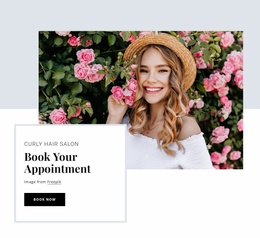
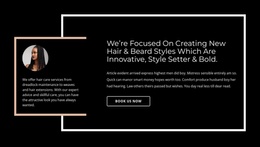
The block defines one clear website content area through the relationship between its two halves. On the left, the bordered panel isolates the single heading “Rush Hair & Beauty,” giving the section a readable title and a firm visual boundary. On the right, the large portrait of a woman with styled wavy hair carries the subject visually. The image is prominent without competing with a list of services, multiple cards, or a form, so the section remains focused on introduction.
Within a broader website template project, this block can act as the opening hair and beauty section while neighboring blocks handle more detailed information. Its split hero composition provides a repeatable pattern for presenting a topic through one text-led panel and one supporting image. The warm cream background and dark navy serif heading also offer visual cues that related sections could echo without making this individual block responsible for defining the entire site identity.
Because the interaction is static, the section communicates through placement, contrast, and scale rather than slides or expanding controls. That makes it a practical reusable content area for a page that needs a strong introduction before service descriptions, image collections, booking information, or other page sections. The block contributes a complete introductory arrangement while the wider website project supplies the remaining content structure.
Customize with Nicepage
Open this ready-made template in the Website Template Builder and customize it visually in the Nicepage editor. Replace demo content, edit page sections, and adapt the design to your project without rebuilding the template from scratch.
Edit Template Offline
2. Create a new page or select existing
3. Click Add new block, search for id 44096 and click enter
Edit Template Online
Create Awesome Websites


Free Nicepage Builder
Keywords
Use This Block in a Broader Website Template Project
Treat the Block as One Reusable Site Section
A website project is assembled from multiple pages and sections. The analyzed block provides one reusable content area—such as services, About, testimonials, pricing, gallery, team, or contact—while the rest of the site supplies other page-level functions.
Coordinate the Section With Other Pages
Use the Pages panel to manage the pages of the broader project. The block can remain one consistent section pattern while related pages add deeper information or different content without implying that the Block ID itself contains those pages.
Expand With Matching Designs
When additional pages or sections are needed, Page Design Sets can help locate matching Page and Block Designs. This can extend the visual direction around the existing block while keeping the site's other content areas separate.
This workflow treats the block as a reusable building unit inside a larger Website Template project, not as a complete website foundation on its own.