Starbucks Coffee One Page Template


Edit Template Offline
2. Create new page and search for id 17223
Edit Template Online
Create Awesome Websites


Free Nicepage Builder
Keywords
A Continuous Journey Through Campaigns and Seasonal Drinks
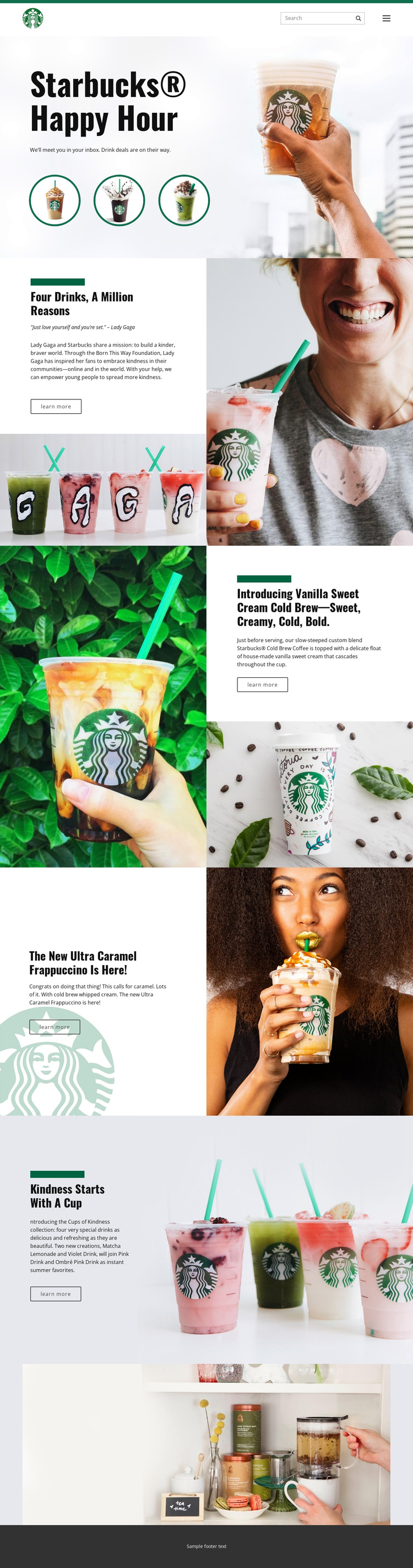
The page's long-form sequence creates several meaningful content destinations within one document. The header establishes the starting point, and the Happy Hour hero gives visitors an immediate introduction to the seasonal promotion. From there, the Four drinks, a million reasons section changes the subject from a drink deal to a kindness campaign associated with Lady Gaga and the Born This Way Foundation.
The following sections continue the journey through specific beverage content. Vanilla Sweet Cream Cold Brew receives a dedicated split section with descriptive copy and supporting product imagery. The Ultra Caramel Frappuccino follows as another featured promotion, while Cups of Kindness presents Matcha Lemonade, Violet Drink, Pink Drink, and Ombré Pink Drink as a related collection. Each block can function as a separate destination in the visitor's exploration, even though all of them remain on the same page.
This organization supports one-page navigation because the content is divided into recognizable topics rather than a single uninterrupted text stream. The wide lifestyle photograph acts as a visual closing point before the footer, giving the continuous document a deliberate ending. The main value is the ability to move through multiple campaign and product areas without separating the experience into unrelated page files.
Customize with Nicepage
Open this ready-made template in the One Page Template Builder and customize it visually in the Nicepage editor. Replace demo content, edit page sections, and adapt the design to your project without rebuilding the template from scratch.
Build a Navigable One-Page Website
Connect the Menu to Page Sections
Organize the website as a sequence of sections on a single page and use the Menu For One-Page Site to connect menu items with individual page Blocks. Visitors can jump directly to sections such as About, Services, Testimonials, or Contact without opening separate pages.
Keep the Website on One URL
A one-page template can combine several parts of a small website within one continuous page. Arrange the Header, introduction, services, portfolio, company information, reviews, contact details, and other relevant sections in the order that fits the project while keeping them accessible through the same page navigation.
Make Long Pages Easier to Navigate
For longer one-page websites, keep navigation labels short and connected to meaningful sections so visitors can move through the page without relying only on scrolling. You can also use the Back To Top element to provide a quick way back to the beginning after longer sections.
This workflow makes the template suitable for compact websites that need several distinct content sections while keeping the complete visitor experience on one URL.