

Banner Wysiwyg Html Editor
Frequent sale campaigns and product announcements require changes to banner headlines, imagery, and promotional details. A WYSIWYG HTML editor lets marketers adjust these elements directly on the page, review their placement, and update the design without manually rewriting HTML.
More Website & HTML Templates for Banner




























Other Sale Wysiwyg Html Editor
Easy-To-Use Banner WYSIWYG HTML Editor for Website Promotions
A Banner WYSIWYG HTML Editor is useful when a promotional design needs to be personalized on the page without rewriting its HTML. The main advantage over simply viewing a banner collection is control over individual elements: a retailer can revise a sale headline, while a service business can adjust its action button without recreating the entire composition.
Visual HTML Editing for Promotional Banners
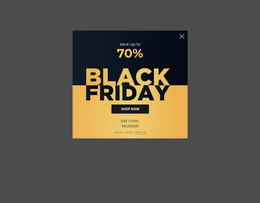
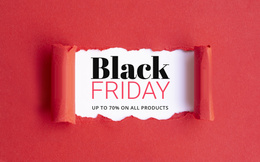
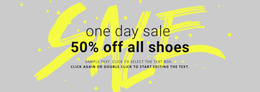
A ready-made banner with clearly separated image and text areas can be easier to customize than a composition where the offer is embedded in artwork. A restaurant may need a photo-led special; a retail sale can favor a short discount headline with a visible button. The editor makes these layouts adaptable while keeping the page visible.
Nicepage provides a drag-and-drop visual page editor for arranging content directly within the website layout. Text, images, buttons, and containers can be adjusted through on-canvas controls and element properties.
Choosing Banners That Are Easy to Edit Visually
The practical question is how readily the editor lets users change the separate parts of an existing banner, not how many banner styles a collection contains. Text, images, and actions should remain individually editable where the chosen design supports them. Nicepage's element editing controls provide on-canvas adjustments and a Property Panel for compatible elements.
Four editing capabilities matter when choosing a prepared banner:
- Independent selection: Access text, images, and buttons as separate editable elements rather than as a single graphic.
- On-canvas adjustment: Move and align individual elements where the design permits layout changes.
- Property controls: Adjust typography, spacing, and other supported element properties directly in the editor.
- Visual review: Inspect the composition in Preview and Responsive Modes before publication.
Previewing Selected Banner Designs
A template that looks balanced with its demonstration text may need more room for a real promotional offer. For a retailer using a longer sale headline, visual Preview and Responsive Modes help reveal whether the chosen composition remains suitable at different widths. This comparison is useful before committing to extensive changes.
Editing Content Without Rebuilding the Design
Ordinary visual editing may change a banner's arrangement, while Nicepage's Edit Content Mode focuses on text and image updates without moving its elements. This separation helps a business reuse the same banner for recurring offers while keeping major layout decisions with the designer.
Consider five recurring campaign scenarios when comparing editable banner designs:
- Weekend sale: A retailer replaces an expired discount with a new offer and updates the button destination.
- Seasonal menu: A restaurant swaps its featured dish and revises the accompanying description.
- Product launch: A technology store replaces teaser artwork with a photograph of the released product.
- Event announcement: An organizer updates the advertised date and registration details when a schedule changes.
- Service promotion: A marketing assistant refreshes the offer text and image in Edit Content Mode where available, leaving the established layout intact.
For the WYSIWYG workflow, the benefit is a customizable ready-made result rather than a sequence of manual HTML edits.