Smart home management Joomla Template

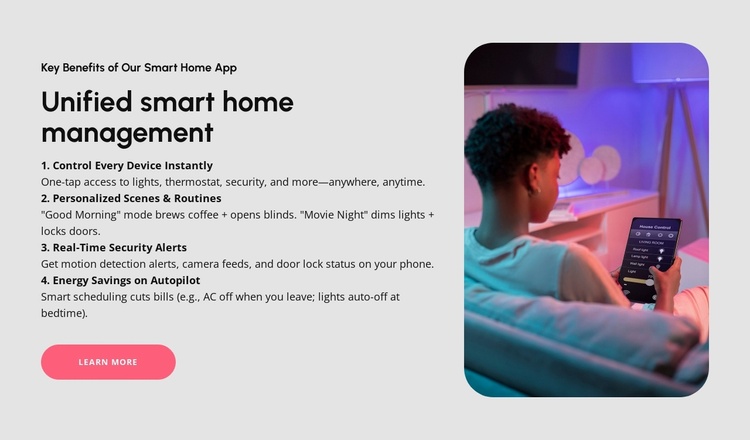
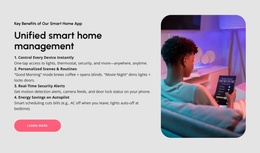
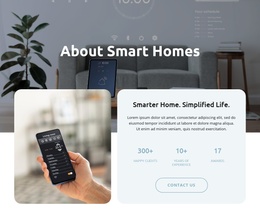
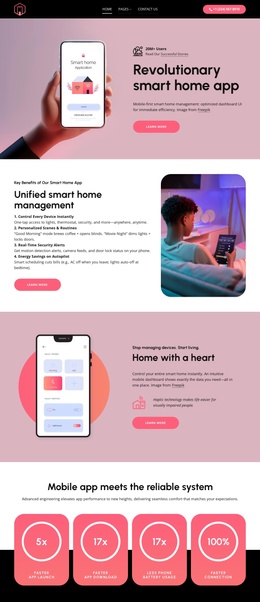
The section provides a structured smart-home app overview that can participate as one content area in a Joomla-managed page. It includes the eyebrow “Key Benefits of Our Smart Home App,” the heading “Unified smart home management,” four numbered benefit descriptions, a supporting image, and a “Learn More” action. The content is divided into device control, personalized routines, security alerts, and energy savings, with concrete references to lights, thermostats, cameras, door locks, AC, and automated lighting. Its two-column layout separates information from imagery.
ID : 6539405   |   Category : Technology, Thirds

Structured app benefits for a Joomla-managed content area

The heading and four numbered descriptions give this section a stable informational role within a Joomla-managed page. “Key Benefits of Our Smart Home App” identifies the subject, while “Unified smart home management” introduces the broader capability being explained. The content can be read as four related information units: controlling lights, the thermostat, and security access; setting “Good Morning” and “Movie Night” routines; receiving motion detection alerts and checking camera feeds or door lock status; and scheduling AC and lights automatically to support energy savings.

The block’s structure also gives the content a clear visual boundary. Text, labels, and the “Learn More” action occupy the left side, while a rounded image of a person using a smart-home control interface occupies the right. The light gray background and bright pink button distinguish the section without changing its role as an informational region. In a Joomla project, this makes the block suitable for a page area that explains an app before visitors reach deeper product, support, or contact content.

The CMS context belongs around the section, not inside its content model. Joomla-managed editorial material can be coordinated with this reusable visual area while the four benefit groups retain their existing order and meaning. The result is a structured feature section that can remain visually consistent as related information is maintained elsewhere in the broader site.

Customize with Nicepage

Open this ready-made template in the Joomla Page Builder and customize it visually in the Nicepage editor. Replace demo content, edit page sections, and adapt the design to your project without rebuilding the template from scratch.

Edit Template Offline

1. Download and Install the Nicepage application for Windows and Mac. Or WordPress and Joomla plugins from the download page
2. Create a new page or select existing
3. Click Add new block, search for id 6539405 and click enter

Edit Template Online

Run Online Builder to edit this template on our hosting

Create Awesome Websites

WordPress Plugin WordPress
Windows Application Windows App
Joomla Plugin Joomla
Mac OS Application Mac OS App
HTML5 HTML5
Online Builder Online

Free Nicepage Builder

15,000+ Templates
Easy Drag-n-Drop
No Coding
Mobile-Friendly

Keywords


Work With This Template in Joomla

Customize and Install the Joomla Template

Start with this ready-made template instead of building the Joomla design from scratch. Customize its layout, content, typography, images, sections, and other design elements visually in the Nicepage application, then export and install the Joomla Template, Nicepage Extension, and supported content on your Joomla website.

Edit the Template Directly in Joomla

After installation, you can edit the Joomla Template directly in Joomla with the Nicepage Joomla Extension. Customize the Header, Footer, Colors, Fonts, typography, and Page Templates from the Joomla workflow while keeping the site design connected with your CMS content.

Edit Joomla Articles Visually

Use the Nicepage Joomla Extension to open and edit Joomla Articles visually from the Joomla Administrator. Change text, images, sections, layouts, and other page content in the Nicepage editor while continuing to manage the Articles through Joomla.

Joomla Content and Template Integration

Use the customized template together with Joomla Articles, module Positions, menus, forms, Blog Pages, and other supported CMS elements. With the Nicepage Extension used as the Site Style Source, shared design settings can be applied across Joomla Articles while Joomla continues to provide the CMS environment for managing site content.

This workflow combines a ready-made Joomla Template with visual customization, direct template editing in Joomla, and continued content management through the Nicepage Joomla Extension.

Editing Joomla content visually with Nicepage

More from Technology Joomla Templates