Space Joomla Template


Edit Template Offline
2. Create new page and search for id 23167
Edit Template Online
Create Awesome Websites


Free Nicepage Builder
Keywords
Education, Visitor Features, and Contact Form a Structured CMS Story
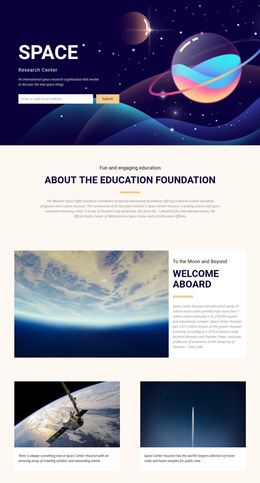
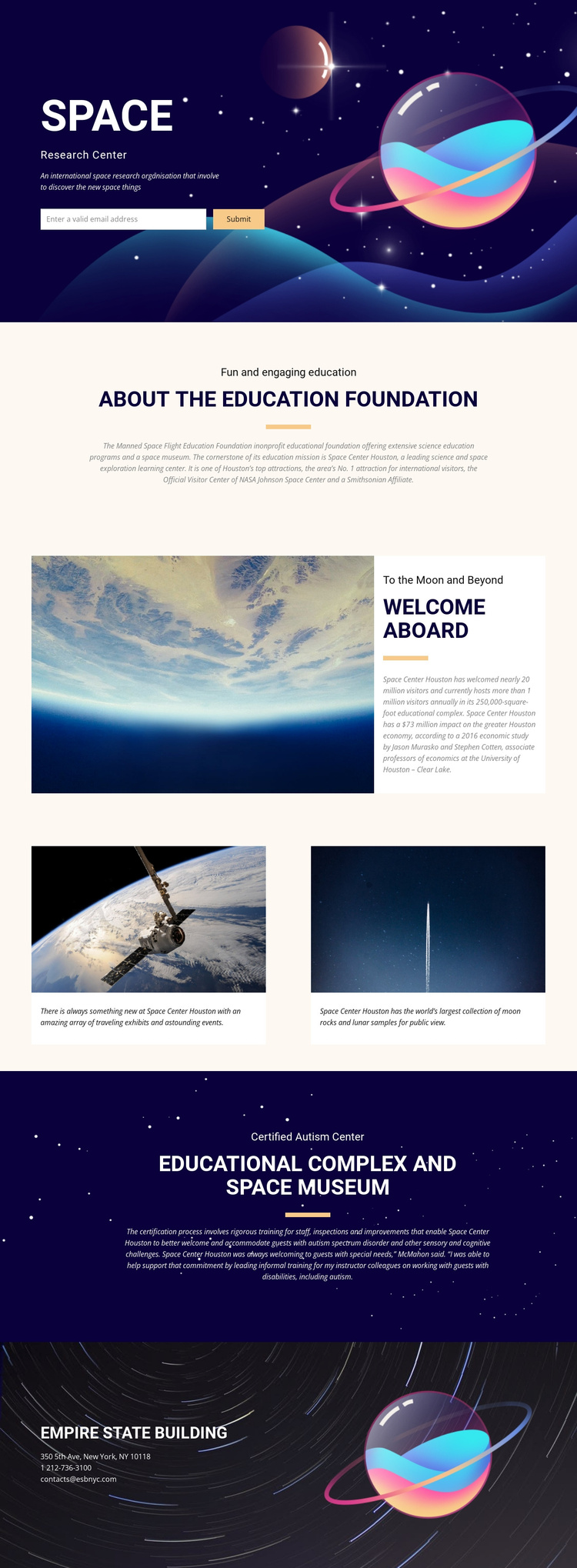
The education foundation overview gives the design a natural primary information region. Its short eyebrow, centered heading, divider, and explanatory paragraph can represent institutional content without competing with the atmospheric hero. The welcome section then provides a second structured area, pairing a large space photograph with visitor-focused information associated with Space Center Houston. Together, these regions separate organizational explanation from the visitor introduction.
The two feature cards offer another useful content relationship. Traveling exhibits and educational events occupy one card, while moon rocks and lunar samples occupy the other. Their repeated image-and-caption format is suitable for recurring informational items, even though the analysis does not establish specific Joomla article or category structures in the template itself. The design simply provides coherent regions where such managed content could later be organized.
The educational complex section adds a distinct accessibility and museum-information block through the Certified Autism Center reference. At the end, the contact area groups an organization name, address, telephone number, and email beside a planet illustration. Navigation and shared page regions can therefore connect institutional information, visitor experiences, accessibility context, and contact content within one coordinated Joomla-oriented presentation. The value lies in the template’s division of subject matter into recognizable areas, not in an assumed installation or editing workflow.
Customize with Nicepage
Open this ready-made template in the Joomla Page Builder and customize it visually in the Nicepage editor. Replace demo content, edit page sections, and adapt the design to your project without rebuilding the template from scratch.
Work With This Template in Joomla
Customize and Install the Joomla Template
Start with this ready-made template instead of building the Joomla design from scratch. Customize its layout, content, typography, images, sections, and other design elements visually in the Nicepage application, then export and install the Joomla Template, Nicepage Extension, and supported content on your Joomla website.
Edit the Template Directly in Joomla
After installation, you can edit the Joomla Template directly in Joomla with the Nicepage Joomla Extension. Customize the Header, Footer, Colors, Fonts, typography, and Page Templates from the Joomla workflow while keeping the site design connected with your CMS content.
Edit Joomla Articles Visually
Use the Nicepage Joomla Extension to open and edit Joomla Articles visually from the Joomla Administrator. Change text, images, sections, layouts, and other page content in the Nicepage editor while continuing to manage the Articles through Joomla.
Joomla Content and Template Integration
Use the customized template together with Joomla Articles, module Positions, menus, forms, Blog Pages, and other supported CMS elements. With the Nicepage Extension used as the Site Style Source, shared design settings can be applied across Joomla Articles while Joomla continues to provide the CMS environment for managing site content.
This workflow combines a ready-made Joomla Template with visual customization, direct template editing in Joomla, and continued content management through the Nicepage Joomla Extension.