Digital Marketing Strategies Joomla Template



Edit Template Offline
2. Create new page and search for id 6481488
Edit Template Online
Create Awesome Websites


Free Nicepage Builder
Keywords
Service, Portfolio, and Contact Regions Form a CMS-Ready Content Map
The three equal service cards divide the agency subject into recurring informational areas: Social Media Marketing, Trends in Digital Tech, and Grow with Digital Tools. That separation is useful for a Joomla-oriented project because each category has a defined place within the page’s content hierarchy rather than being mixed into one long paragraph. The introduction and leadership portrait provide a separate profile region before those service areas begin.
The later sections add other structured regions with different editorial roles. The innovation block can carry a focused capability statement alongside team imagery, while the awards block contains three repeated entries. The portfolio area then presents BrandBoost Solutions and Digital Growth Hub as two visual panels, followed by three team profiles with names, roles, and short bios. Together, these areas distinguish services, recognition, work, and people.
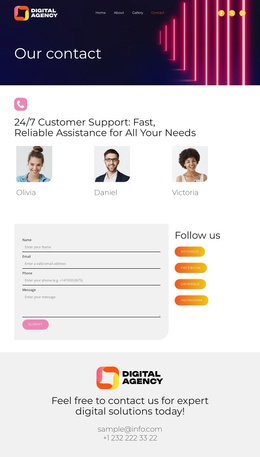
The final contact block brings the navigation journey to a practical endpoint with an invitation, email address, phone number, and social links. In a Joomla project, these regions could be mapped to CMS-managed content while retaining their visual relationships. Nicepage documents the Joomla Extension as a product bridge, but the template-specific value is the clearly separated set of agency content regions.
Customize with Nicepage
Open this ready-made template in the Joomla Page Builder and customize it visually in the Nicepage editor. Replace demo content, edit page sections, and adapt the design to your project without rebuilding the template from scratch.
Work With This Template in Joomla
Customize and Install the Joomla Template
Start with this ready-made template instead of building the Joomla design from scratch. Customize its layout, content, typography, images, sections, and other design elements visually in the Nicepage application, then export and install the Joomla Template, Nicepage Extension, and supported content on your Joomla website.
Edit the Template Directly in Joomla
After installation, you can edit the Joomla Template directly in Joomla with the Nicepage Joomla Extension. Customize the Header, Footer, Colors, Fonts, typography, and Page Templates from the Joomla workflow while keeping the site design connected with your CMS content.
Edit Joomla Articles Visually
Use the Nicepage Joomla Extension to open and edit Joomla Articles visually from the Joomla Administrator. Change text, images, sections, layouts, and other page content in the Nicepage editor while continuing to manage the Articles through Joomla.
Joomla Content and Template Integration
Use the customized template together with Joomla Articles, module Positions, menus, forms, Blog Pages, and other supported CMS elements. With the Nicepage Extension used as the Site Style Source, shared design settings can be applied across Joomla Articles while Joomla continues to provide the CMS environment for managing site content.
This workflow combines a ready-made Joomla Template with visual customization, direct template editing in Joomla, and continued content management through the Nicepage Joomla Extension.