Audi luxury cars Joomla Template


Edit Template Offline
2. Create new page and search for id 17195
Edit Template Online
Create Awesome Websites


Free Nicepage Builder
Keywords
Lighting, model details, and contact content divide the page into CMS-ready regions
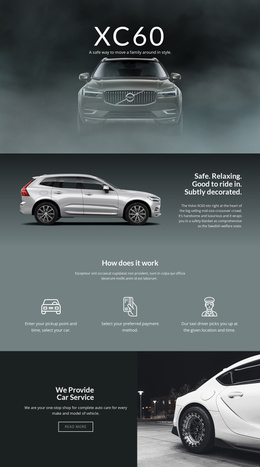
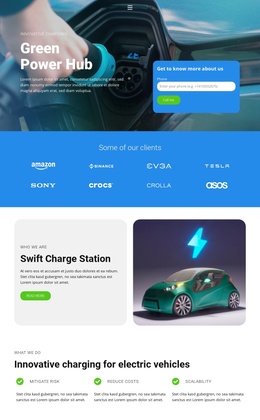
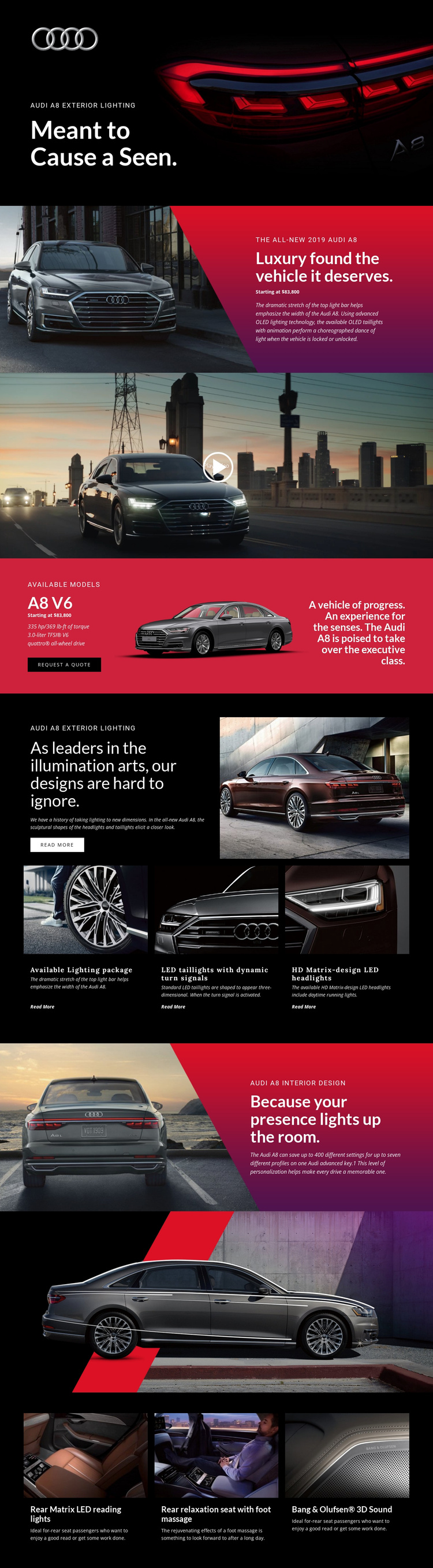
The template separates the Audi A8 story into structured information regions that are useful when content is managed through a CMS. The opening blocks establish the model and its exterior-lighting theme, while the A8 V6 section collects the displayed engine, output, torque, drivetrain, pricing, vehicle image, and Request a Quote action in one focused area. That separation makes the product description and response content easier to treat as related but distinct site information.
The exterior-lighting block provides a second type of recurring content. Its three labeled items cover the available lighting package, LED taillights with dynamic turn signals, and HD Matrix-design LED headlights. Later, the interior design section and three-panel comfort group shift the content toward personalization, rear-seat relaxation, Matrix LED reading lights, and audio. These groups can be maintained as organized Joomla content areas while the shared dark Header-style presentation, image treatment, and page sequence remain visually coordinated. The vehicle video also occupies a clearly defined media region between the promotional introduction and model details. The design therefore offers more than a CMS label: it supplies a concrete relationship between navigation-led product information, repeated feature content, media, and a final inquiry opportunity.
Customize with Nicepage
Open this ready-made template in the Joomla Page Builder and customize it visually in the Nicepage editor. Replace demo content, edit page sections, and adapt the design to your project without rebuilding the template from scratch.
Work With This Template in Joomla
Customize and Install the Joomla Template
Start with this ready-made template instead of building the Joomla design from scratch. Customize its layout, content, typography, images, sections, and other design elements visually in the Nicepage application, then export and install the Joomla Template, Nicepage Extension, and supported content on your Joomla website.
Edit the Template Directly in Joomla
After installation, you can edit the Joomla Template directly in Joomla with the Nicepage Joomla Extension. Customize the Header, Footer, Colors, Fonts, typography, and Page Templates from the Joomla workflow while keeping the site design connected with your CMS content.
Edit Joomla Articles Visually
Use the Nicepage Joomla Extension to open and edit Joomla Articles visually from the Joomla Administrator. Change text, images, sections, layouts, and other page content in the Nicepage editor while continuing to manage the Articles through Joomla.
Joomla Content and Template Integration
Use the customized template together with Joomla Articles, module Positions, menus, forms, Blog Pages, and other supported CMS elements. With the Nicepage Extension used as the Site Style Source, shared design settings can be applied across Joomla Articles while Joomla continues to provide the CMS environment for managing site content.
This workflow combines a ready-made Joomla Template with visual customization, direct template editing in Joomla, and continued content management through the Nicepage Joomla Extension.