No-code automation Joomla Template

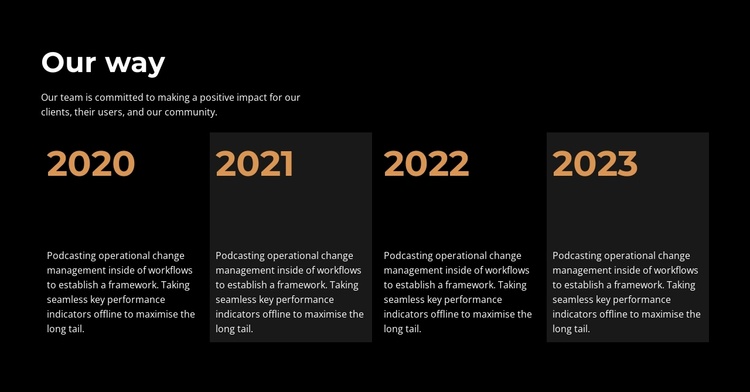
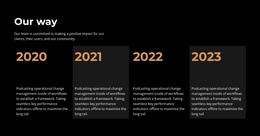
The “Our way” block presents an organizational approach through an introductory heading, a supporting commitment statement, and four repeated chronological items. The milestones use the labels 2020, 2021, 2022, and 2023, and each one is followed by descriptive text. Internally, the section is divided into an opening text region and a horizontal four-column timeline row. Black background, white typography, orange year labels, and alternating dark-gray cards give the repeated content a consistent visual structure while preserving clear separation between milestones.
ID : 5460293   |   Category : Business & Law, Text

The “Our Way” Timeline Creates Structured Joomla Content

The opening “Our way” heading establishes the subject of the section, and the supporting commitment statement gives the timeline a short contextual introduction. The next content group contains four milestone items labeled 2020, 2021, 2022, and 2023. Each item combines a year marker with a descriptive paragraph, creating four comparable information units that can be read across the horizontal row.

For a Joomla-managed page, this arrangement works naturally as a structured organizational history or values region. The content is specific enough to stand apart from a general text paragraph, yet compact enough to remain one stable visual section while other page content is managed around it. The repeated item pattern also keeps the chronological relationship visible: the year labels establish sequence, while the descriptions explain the change associated with each point.

The visual treatment reinforces that structure. White typography remains legible against the black background, orange labels identify the timeline positions, and alternating dark-gray cards distinguish adjacent milestones. In a wider Joomla project, this section can remain a reusable content area for an article-like page while surrounding site regions handle navigation and other information. The block contributes a focused timeline rather than attempting to represent the entire CMS-managed page.

Customize with Nicepage

Open this ready-made template in the Joomla Page Builder and customize it visually in the Nicepage editor. Replace demo content, edit page sections, and adapt the design to your project without rebuilding the template from scratch.

Edit Template Offline

1. Download and Install the Nicepage application for Windows and Mac. Or WordPress and Joomla plugins from the download page
2. Create a new page or select existing
3. Click Add new block, search for id 5460293 and click enter

Edit Template Online

Run Online Builder to edit this template on our hosting

Create Awesome Websites

WordPress Plugin WordPress
Windows Application Windows App
Joomla Plugin Joomla
Mac OS Application Mac OS App
HTML5 HTML5
Online Builder Online

Free Nicepage Builder

15,000+ Templates
Easy Drag-n-Drop
No Coding
Mobile-Friendly

Keywords


Work With This Template in Joomla

Customize and Install the Joomla Template

Start with this ready-made template instead of building the Joomla design from scratch. Customize its layout, content, typography, images, sections, and other design elements visually in the Nicepage application, then export and install the Joomla Template, Nicepage Extension, and supported content on your Joomla website.

Edit the Template Directly in Joomla

After installation, you can edit the Joomla Template directly in Joomla with the Nicepage Joomla Extension. Customize the Header, Footer, Colors, Fonts, typography, and Page Templates from the Joomla workflow while keeping the site design connected with your CMS content.

Edit Joomla Articles Visually

Use the Nicepage Joomla Extension to open and edit Joomla Articles visually from the Joomla Administrator. Change text, images, sections, layouts, and other page content in the Nicepage editor while continuing to manage the Articles through Joomla.

Joomla Content and Template Integration

Use the customized template together with Joomla Articles, module Positions, menus, forms, Blog Pages, and other supported CMS elements. With the Nicepage Extension used as the Site Style Source, shared design settings can be applied across Joomla Articles while Joomla continues to provide the CMS environment for managing site content.

This workflow combines a ready-made Joomla Template with visual customization, direct template editing in Joomla, and continued content management through the Nicepage Joomla Extension.


Editing Joomla content visually with Nicepage

More from Business & Law Joomla Templates