Effortless Automation Joomla Template


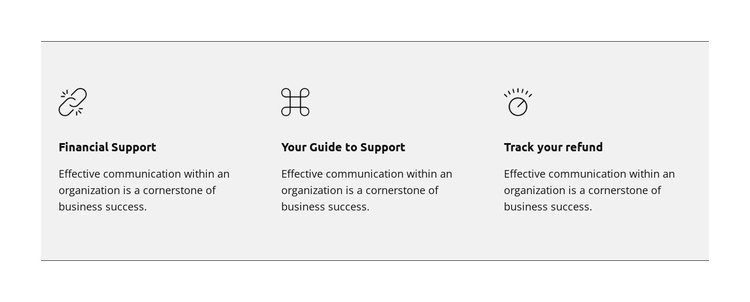
Financial Support and Guidance in Three Structured Content Units
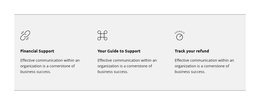
The titles Financial Support, Your Guide to Support, and Track your refund divide the section into three recognizable informational units. Each unit combines an icon, a bold heading, and supporting text, so the block can represent related service information without depending on a long article or a complex interaction. The identical sentence about effective organizational communication gives the items a shared editorial cadence, while the different titles provide the organizing categories.
Inside a Joomla-managed page, this arrangement can function as a stable content region for presenting structured support information. The three columns make the relationships between the offerings visible at a glance, and the enclosing light gray panel with thin borders marks the group as one section within the broader page. The static interaction keeps the information immediately available rather than hiding it behind tabs, accordions, or other controls.
The section can therefore sit alongside other Joomla-managed content while retaining its own visual identity and internal grouping. It does not need to be treated as a standalone CMS template; its value is the clear way it turns three support topics into a reusable page region. Editors can place the section where a page needs concise guidance, with the surrounding Joomla project handling navigation and other content separately.
Customize with Nicepage
Open this ready-made template in the Joomla Page Builder and customize it visually in the Nicepage editor. Replace demo content, edit page sections, and adapt the design to your project without rebuilding the template from scratch.
Edit Template Offline
2. Create a new page or select existing
3. Click Add new block, search for id 6298010 and click enter
Edit Template Online
Create Awesome Websites


Free Nicepage Builder
Keywords
Work With This Template in Joomla
Customize and Install the Joomla Template
Start with this ready-made template instead of building the Joomla design from scratch. Customize its layout, content, typography, images, sections, and other design elements visually in the Nicepage application, then export and install the Joomla Template, Nicepage Extension, and supported content on your Joomla website.
Edit the Template Directly in Joomla
After installation, you can edit the Joomla Template directly in Joomla with the Nicepage Joomla Extension. Customize the Header, Footer, Colors, Fonts, typography, and Page Templates from the Joomla workflow while keeping the site design connected with your CMS content.
Edit Joomla Articles Visually
Use the Nicepage Joomla Extension to open and edit Joomla Articles visually from the Joomla Administrator. Change text, images, sections, layouts, and other page content in the Nicepage editor while continuing to manage the Articles through Joomla.
Joomla Content and Template Integration
Use the customized template together with Joomla Articles, module Positions, menus, forms, Blog Pages, and other supported CMS elements. With the Nicepage Extension used as the Site Style Source, shared design settings can be applied across Joomla Articles while Joomla continues to provide the CMS environment for managing site content.
This workflow combines a ready-made Joomla Template with visual customization, direct template editing in Joomla, and continued content management through the Nicepage Joomla Extension.