Mission-critical security Joomla Template


Edit Template Offline
2. Create new page and search for id 3150085
Edit Template Online
Create Awesome Websites


Free Nicepage Builder
Keywords
Contact Channels and Category Cards Create Structured Joomla Content Areas
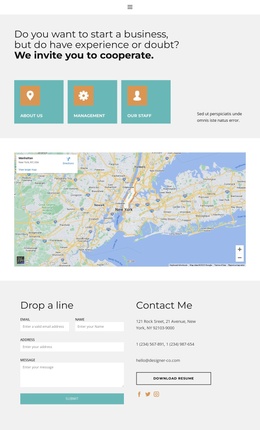
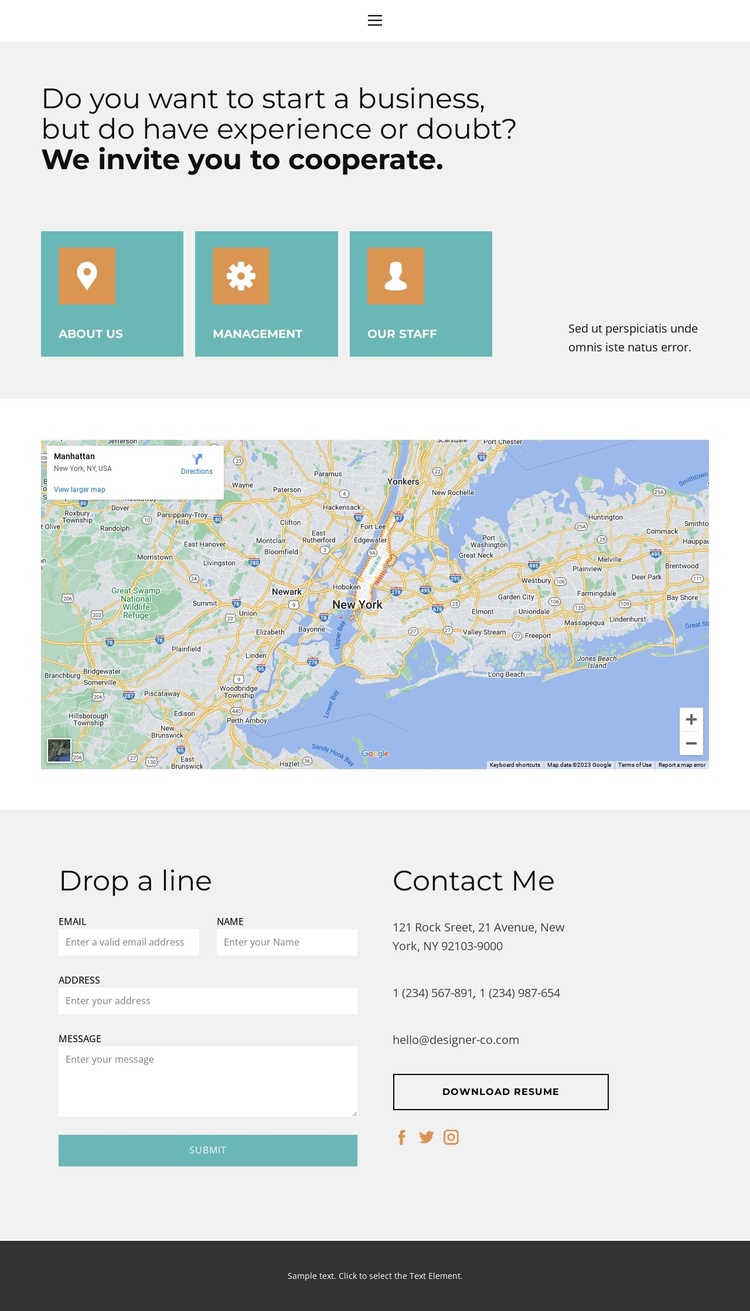
The three organizational cards give the page more structure than a simple contact form. About Us, Management, and Our Staff create separate informational areas that can be interpreted as recurring content categories, while the introductory heading explains why a visitor may want to continue into those sections. Their evenly arranged presentation also keeps the page easy to scan before the visitor reaches the map and inquiry area.
The map then adds a location-oriented region, followed by a two-column contact section that separates the message form from practical contact channels. Address, telephone, email, social links, and the Download resume action serve different information needs without competing for the same space. This division is useful for a Joomla project in which structured site content, navigation, and contact information need to remain visually coordinated as they are maintained over time. The compact navigation connects Home, About, Contact, and Team, giving the page a clear set of destinations rather than leaving the contact form isolated from the rest of the site.
The light gray backgrounds, muted blue-green panels, and dark footer provide stable visual boundaries between these content regions. Joomla adaptation can therefore preserve a consistent page framework while the actual text and contact details evolve. The design is especially suited to a business or collaboration-oriented contact page where organizational information, location context, and direct response channels need to coexist in one controlled layout.
Customize with Nicepage
Open this ready-made template in the Joomla Page Builder and customize it visually in the Nicepage editor. Replace demo content, edit page sections, and adapt the design to your project without rebuilding the template from scratch.
Work With This Template in Joomla
Customize and Install the Joomla Template
Start with this ready-made template instead of building the Joomla design from scratch. Customize its layout, content, typography, images, sections, and other design elements visually in the Nicepage application, then export and install the Joomla Template, Nicepage Extension, and supported content on your Joomla website.
Edit the Template Directly in Joomla
After installation, you can edit the Joomla Template directly in Joomla with the Nicepage Joomla Extension. Customize the Header, Footer, Colors, Fonts, typography, and Page Templates from the Joomla workflow while keeping the site design connected with your CMS content.
Edit Joomla Articles Visually
Use the Nicepage Joomla Extension to open and edit Joomla Articles visually from the Joomla Administrator. Change text, images, sections, layouts, and other page content in the Nicepage editor while continuing to manage the Articles through Joomla.
Joomla Content and Template Integration
Use the customized template together with Joomla Articles, module Positions, menus, forms, Blog Pages, and other supported CMS elements. With the Nicepage Extension used as the Site Style Source, shared design settings can be applied across Joomla Articles while Joomla continues to provide the CMS environment for managing site content.
This workflow combines a ready-made Joomla Template with visual customization, direct template editing in Joomla, and continued content management through the Nicepage Joomla Extension.