Animals vet clinic Joomla Template


A Structured Clinic Introduction for Joomla Content
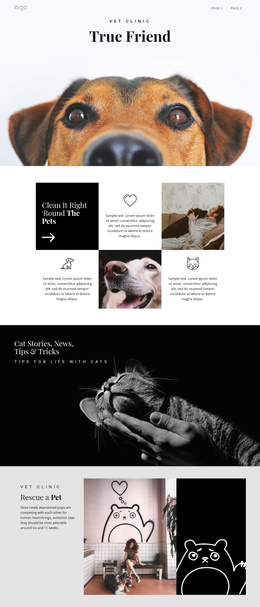
The “Vet clinic” label and “True Friend” heading create a compact informational unit that can sit at the beginning of a Joomla-managed page composition. The label establishes the subject, while the title gives the section a stronger identity cue. Both are centered above a close-up dog photograph, so the block presents one coherent introduction rather than a collection of unrelated content items.
The image carries the main visual emphasis and can help distinguish this section from later text-heavy areas. The light background leaves room for the surrounding page to continue with service descriptions, care information, or contact content, while the static interaction keeps the block focused on recognition and presentation. Its internal order is stable: clinic context first, title second, pet image third. That order can remain meaningful even when the broader Joomla-managed page contains separately maintained content regions.
In a Joomla-oriented project, this section can function as a reusable visual area for structured clinic information without requiring the hero itself to contain CMS controls. The Nicepage Joomla workflow can connect visual page design with Joomla content in the surrounding project; the block’s practical contribution is its prepared arrangement of label, title, and image. This makes it suitable for a page where editorial or service content continues below the introductory visual statement.
Customize with Nicepage
Open this ready-made template in the Joomla Page Builder and customize it visually in the Nicepage editor. Replace demo content, edit page sections, and adapt the design to your project without rebuilding the template from scratch.
Edit Template Offline
2. Create a new page or select existing
3. Click Add new block, search for id 46609 and click enter
Edit Template Online
Create Awesome Websites


Free Nicepage Builder
Keywords
Work With This Template in Joomla
Customize and Install the Joomla Template
Start with this ready-made template instead of building the Joomla design from scratch. Customize its layout, content, typography, images, sections, and other design elements visually in the Nicepage application, then export and install the Joomla Template, Nicepage Extension, and supported content on your Joomla website.
Edit the Template Directly in Joomla
After installation, you can edit the Joomla Template directly in Joomla with the Nicepage Joomla Extension. Customize the Header, Footer, Colors, Fonts, typography, and Page Templates from the Joomla workflow while keeping the site design connected with your CMS content.
Edit Joomla Articles Visually
Use the Nicepage Joomla Extension to open and edit Joomla Articles visually from the Joomla Administrator. Change text, images, sections, layouts, and other page content in the Nicepage editor while continuing to manage the Articles through Joomla.
Joomla Content and Template Integration
Use the customized template together with Joomla Articles, module Positions, menus, forms, Blog Pages, and other supported CMS elements. With the Nicepage Extension used as the Site Style Source, shared design settings can be applied across Joomla Articles while Joomla continues to provide the CMS environment for managing site content.
This workflow combines a ready-made Joomla Template with visual customization, direct template editing in Joomla, and continued content management through the Nicepage Joomla Extension.