Gallery with ocean photo Joomla Template


About Us and What We Do Create a Structured Content Region
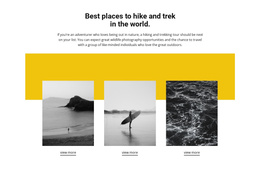
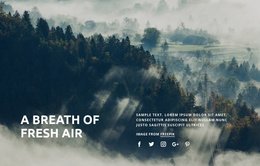
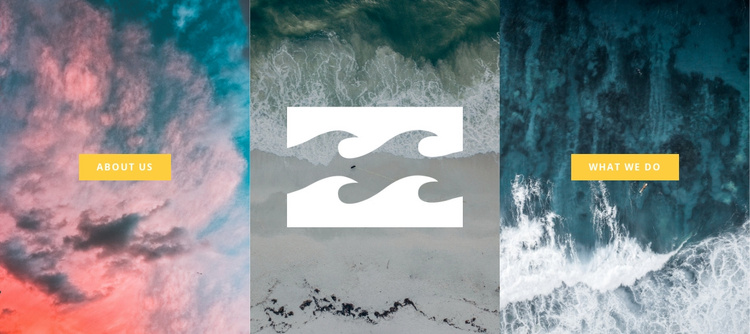
The left and right actions divide the block into two clear informational directions: About Us introduces organizational context, while What We Do points toward activities or services. Between them, the center panel uses a muted beach image and a white logo as a visual identity point. Because all three panels share equal width and full-height image treatment, the section reads as one coordinated content region rather than three unrelated links.
In a Joomla-managed page, this arrangement can serve as a stable introductory area whose structured labels remain easy to recognize alongside other editorial content. The two buttons provide distinct destinations, while the center mark gives visitors a visual reference before they choose either path. Nature and coastal photography keeps the theme consistent across the row, and the dark teal, gray, pink, and coral palette contrasts with bright yellow buttons to separate visual atmosphere from action cues. The broader Joomla project can manage surrounding articles, pages, and site content, while this block supplies one focused presentation area. Its static interaction also keeps the meaning of each panel immediately visible without relying on a carousel or expanding control.
Customize with Nicepage
Open this ready-made template in the Joomla Page Builder and customize it visually in the Nicepage editor. Replace demo content, edit page sections, and adapt the design to your project without rebuilding the template from scratch.
Edit Template Offline
2. Create a new page or select existing
3. Click Add new block, search for id 44073 and click enter
Edit Template Online
Create Awesome Websites


Free Nicepage Builder
Keywords
Work With This Template in Joomla
Customize and Install the Joomla Template
Start with this ready-made template instead of building the Joomla design from scratch. Customize its layout, content, typography, images, sections, and other design elements visually in the Nicepage application, then export and install the Joomla Template, Nicepage Extension, and supported content on your Joomla website.
Edit the Template Directly in Joomla
After installation, you can edit the Joomla Template directly in Joomla with the Nicepage Joomla Extension. Customize the Header, Footer, Colors, Fonts, typography, and Page Templates from the Joomla workflow while keeping the site design connected with your CMS content.
Edit Joomla Articles Visually
Use the Nicepage Joomla Extension to open and edit Joomla Articles visually from the Joomla Administrator. Change text, images, sections, layouts, and other page content in the Nicepage editor while continuing to manage the Articles through Joomla.
Joomla Content and Template Integration
Use the customized template together with Joomla Articles, module Positions, menus, forms, Blog Pages, and other supported CMS elements. With the Nicepage Extension used as the Site Style Source, shared design settings can be applied across Joomla Articles while Joomla continues to provide the CMS environment for managing site content.
This workflow combines a ready-made Joomla Template with visual customization, direct template editing in Joomla, and continued content management through the Nicepage Joomla Extension.