Innovative trends in fashion Joomla Template

Edit Template Offline
2. Create new page and search for id 32150
Edit Template Online
Create Awesome Websites


Free Nicepage Builder
Keywords
Modeling, Sandals, and Vest Styling Create Structured Joomla Content Areas
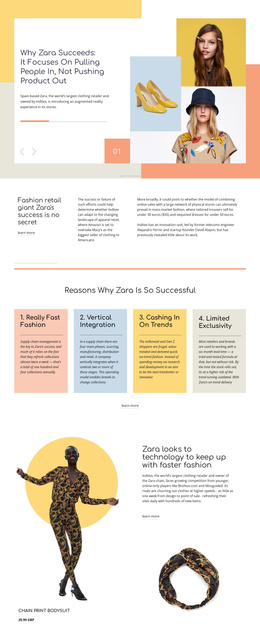
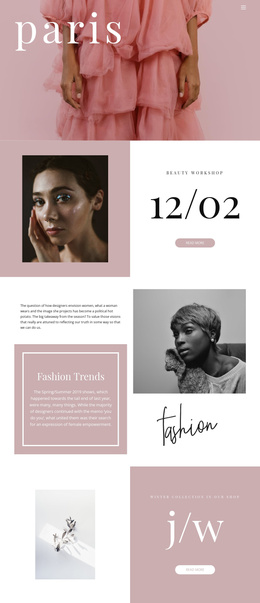
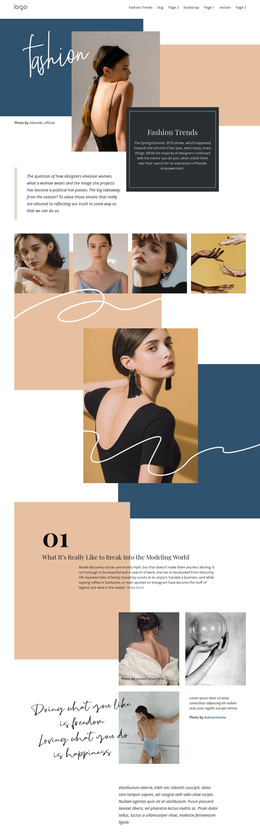
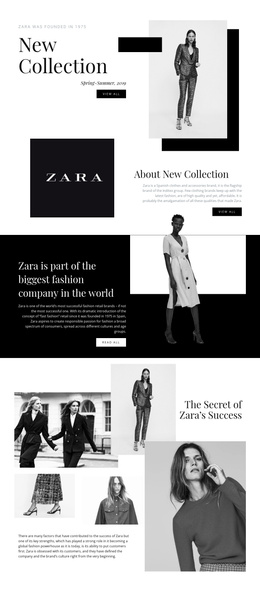
The page separates its editorial material into recognizable content regions that can be understood as managed site content rather than one uninterrupted text field. The opening “Fashion Trends” panel establishes the publication subject with a framed introduction, Spring/Summer 2019 context, fashion photography, and decorative color fields. After that, the first gallery creates a visual break before the numbered modeling feature introduces a longer article topic and a “Read more” destination.
The remaining sections follow the same editorial logic while changing the subject. Platform sandals receive a large portrait and supporting trend copy, while the vest feature pairs a three-image strip with styling advice. Between and around these stories, the galleries combine fashion images, photo credits, and shorter supporting text. This division gives a Joomla-oriented project clear regions for fashion features, visual media, article-style information, and recurring navigation without claiming that specific CMS articles or categories already exist.
The footer provides a shared closing area with navigation and Facebook, Twitter, Instagram, and LinkedIn links. Its dark background visually separates site-level destinations from the editorial body, while the muted navy, peach, cream, and white palette keeps the regions connected. The page therefore offers a useful content hierarchy for a Joomla site: a lead story, supporting visual showcases, three recurring feature subjects, and a consistent footer region.
Customize with Nicepage
Open this ready-made template in the Joomla Page Builder and customize it visually in the Nicepage editor. Replace demo content, edit page sections, and adapt the design to your project without rebuilding the template from scratch.
Work With This Template in Joomla
Customize and Install the Joomla Template
Start with this ready-made template instead of building the Joomla design from scratch. Customize its layout, content, typography, images, sections, and other design elements visually in the Nicepage application, then export and install the Joomla Template, Nicepage Extension, and supported content on your Joomla website.
Edit the Template Directly in Joomla
After installation, you can edit the Joomla Template directly in Joomla with the Nicepage Joomla Extension. Customize the Header, Footer, Colors, Fonts, typography, and Page Templates from the Joomla workflow while keeping the site design connected with your CMS content.
Edit Joomla Articles Visually
Use the Nicepage Joomla Extension to open and edit Joomla Articles visually from the Joomla Administrator. Change text, images, sections, layouts, and other page content in the Nicepage editor while continuing to manage the Articles through Joomla.
Joomla Content and Template Integration
Use the customized template together with Joomla Articles, module Positions, menus, forms, Blog Pages, and other supported CMS elements. With the Nicepage Extension used as the Site Style Source, shared design settings can be applied across Joomla Articles while Joomla continues to provide the CMS environment for managing site content.
This workflow combines a ready-made Joomla Template with visual customization, direct template editing in Joomla, and continued content management through the Nicepage Joomla Extension.