Zara Success Joomla Template


Edit Template Offline
2. Create new page and search for id 14544
Edit Template Online
Create Awesome Websites


Free Nicepage Builder
Keywords
Four Strategy Cards Divide the Retail Story Into Manageable Content Areas
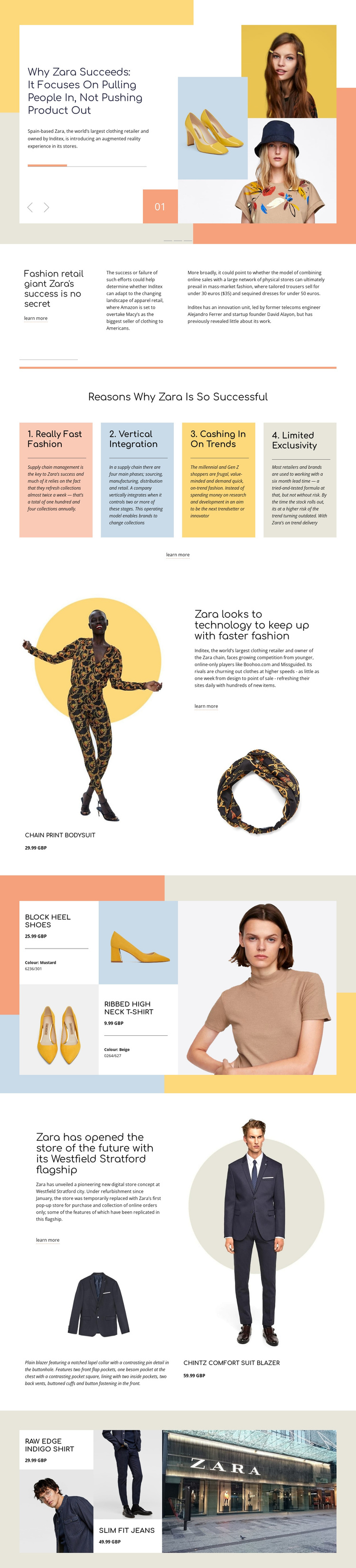
The four numbered success-factor cards create a useful content division for a CMS-managed retail page. Rather than presenting one uninterrupted article, the design separates fast fashion, vertical integration, trend response, and limited exclusivity into peer information units. Those cards sit after the introductory Zara and Inditex context, giving the page a natural progression from background information to structured editorial points.
The product sections add another set of content regions. A chain print bodysuit appears beside an article excerpt about technology and faster fashion, while block heel shoes and a ribbed high-neck T-shirt are displayed in a separate collage. A later split section connects the Westfield Stratford flagship story with a chintz comfort suit blazer. These relationships allow product information, retail commentary, and store-development content to remain visually coordinated without collapsing into one content type.
The closing gallery continues with a raw-edge indigo shirt, slim-fit jeans, prices, and a Zara storefront photograph. In a Joomla project, these distinct regions provide a practical basis for organizing editorial information, recurring product entries, image-led features, and shared navigation around the same visual design. The page does not prove that Joomla Articles or module positions already exist, but its repeated content areas are suitable for CMS-managed publishing.
Customize with Nicepage
Open this ready-made template in the Joomla Page Builder and customize it visually in the Nicepage editor. Replace demo content, edit page sections, and adapt the design to your project without rebuilding the template from scratch.
Work With This Template in Joomla
Customize and Install the Joomla Template
Start with this ready-made template instead of building the Joomla design from scratch. Customize its layout, content, typography, images, sections, and other design elements visually in the Nicepage application, then export and install the Joomla Template, Nicepage Extension, and supported content on your Joomla website.
Edit the Template Directly in Joomla
After installation, you can edit the Joomla Template directly in Joomla with the Nicepage Joomla Extension. Customize the Header, Footer, Colors, Fonts, typography, and Page Templates from the Joomla workflow while keeping the site design connected with your CMS content.
Edit Joomla Articles Visually
Use the Nicepage Joomla Extension to open and edit Joomla Articles visually from the Joomla Administrator. Change text, images, sections, layouts, and other page content in the Nicepage editor while continuing to manage the Articles through Joomla.
Joomla Content and Template Integration
Use the customized template together with Joomla Articles, module Positions, menus, forms, Blog Pages, and other supported CMS elements. With the Nicepage Extension used as the Site Style Source, shared design settings can be applied across Joomla Articles while Joomla continues to provide the CMS environment for managing site content.
This workflow combines a ready-made Joomla Template with visual customization, direct template editing in Joomla, and continued content management through the Nicepage Joomla Extension.