Bespoke Textile Craft Joomla Template



Edit Template Offline
2. Create new page and search for id 6646162
Edit Template Online
Create Awesome Websites


Free Nicepage Builder
Keywords
Service Regions and Process Content Fit a Structured Joomla Site
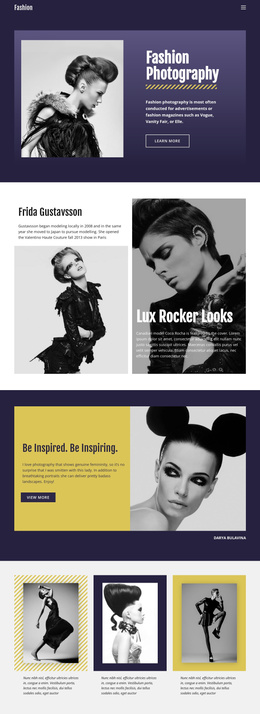
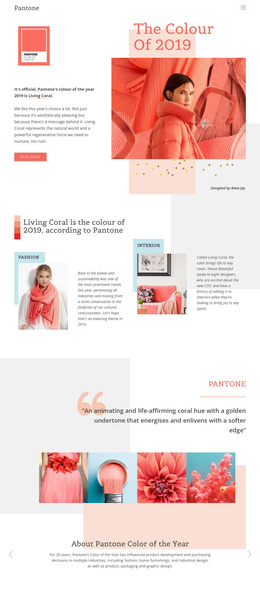
Custom tailoring and artisanal fabric care are already separated into recognizable content areas, while the four-stage process provides a second level of organization around measurement, fabric choice, pattern and fit, and final finish. This division is useful for a Joomla project because the design does not depend on one uninterrupted block of promotional text. Its service labels, explanatory card, process stages, gallery, and quality section each suggest a meaningful place for structured site content.
The navigation-led page also connects several kinds of information without losing the shared textile character. The opening establishes the subject, the dark service area explains the offer, and the studio section adds fabric expertise before the process grid shows how the work progresses. The three-image gallery supports that explanation with visual evidence, while the counter section groups proof related to experience, garments, clients, and precision. These regions can remain visually coordinated as content is organized and maintained in a CMS environment.
The final consultation block gives the page a clear closing region rather than leaving contact intent dispersed across the layout. In Joomla, that area can sit alongside the broader service and process structure as the destination for consultation-related content. The value is therefore the correspondence between real page regions and managed information: services, navigation, repeated process items, craft imagery, proof, and a final booking action, without claiming that Joomla Articles or modules already exist in the source design.
Customize with Nicepage
Open this ready-made template in the Joomla Page Builder and customize it visually in the Nicepage editor. Replace demo content, edit page sections, and adapt the design to your project without rebuilding the template from scratch.
Work With This Template in Joomla
Customize and Install the Joomla Template
Start with this ready-made template instead of building the Joomla design from scratch. Customize its layout, content, typography, images, sections, and other design elements visually in the Nicepage application, then export and install the Joomla Template, Nicepage Extension, and supported content on your Joomla website.
Edit the Template Directly in Joomla
After installation, you can edit the Joomla Template directly in Joomla with the Nicepage Joomla Extension. Customize the Header, Footer, Colors, Fonts, typography, and Page Templates from the Joomla workflow while keeping the site design connected with your CMS content.
Edit Joomla Articles Visually
Use the Nicepage Joomla Extension to open and edit Joomla Articles visually from the Joomla Administrator. Change text, images, sections, layouts, and other page content in the Nicepage editor while continuing to manage the Articles through Joomla.
Joomla Content and Template Integration
Use the customized template together with Joomla Articles, module Positions, menus, forms, Blog Pages, and other supported CMS elements. With the Nicepage Extension used as the Site Style Source, shared design settings can be applied across Joomla Articles while Joomla continues to provide the CMS environment for managing site content.
This workflow combines a ready-made Joomla Template with visual customization, direct template editing in Joomla, and continued content management through the Nicepage Joomla Extension.