Smart logistics Joomla Template

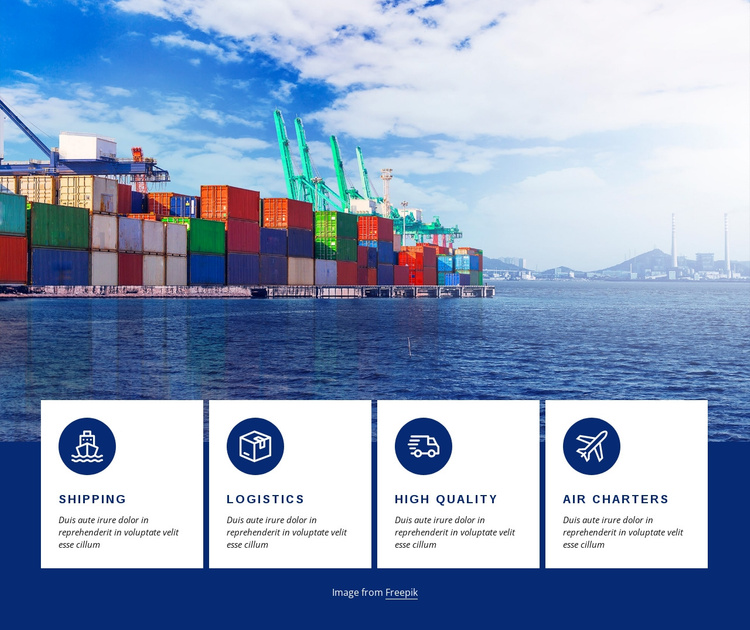
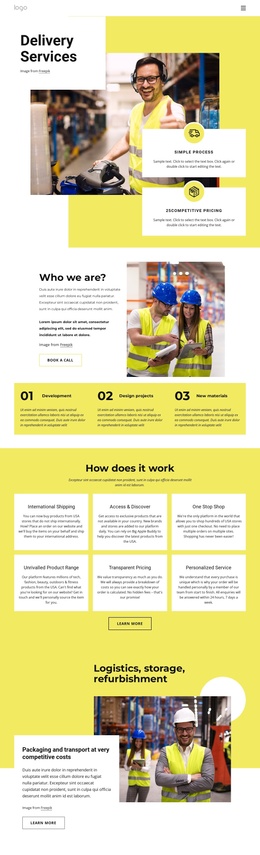
Smart logistics is a transportation services block that can provide a structured content region in a Joomla-managed page. Its upper area contains a bright port image with stacked shipping containers, while four white cards overlap the image below. The cards are labeled Shipping, Logistics, High quality, and Air Charters, and each uses a circular transport-related icon with supporting description text. The horizontal card row makes the service information easy to separate into four related units. Deep navy framing and blue icon accents connect the visual presentation across the section.
ID : 287362   |   Category : Cars & Transportation, Grid Repeater

Four Service Units Create a Structured Joomla Content Region

The port image supplies shared context for the section, while the four overlapping cards divide the transportation message into stable informational units. Shipping, Logistics, High quality, and Air Charters appear in one horizontal row, each with a circular transport-related icon and supporting description. This repeated pattern gives the content a clear category-like organization without requiring the block to become a complete site structure. The cards can be read individually, yet their matching placement and styling keep them connected as one services region.

In a Joomla-managed project, that structure can serve as a reusable page content area for transportation information while the broader site handles its other editorial regions and navigation. The visual relationship should remain intact: the image establishes the port and freight setting, and the cards provide the concise service explanations below it. The deep navy background separates the section from neighboring content, while the white cards create a readable surface for each unit. This Joomla interpretation concerns how the block can participate as organized site content, not a claim that specific articles, categories, or module positions already exist inside the section.

Customize with Nicepage

Open this ready-made template in the Joomla Page Builder and customize it visually in the Nicepage editor. Replace demo content, edit page sections, and adapt the design to your project without rebuilding the template from scratch.

Edit Template Offline

1. Download and Install the Nicepage application for Windows and Mac. Or WordPress and Joomla plugins from the download page
2. Create a new page or select existing
3. Click Add new block, search for id 287362 and click enter

Edit Template Online

Run Online Builder to edit this template on our hosting

Create Awesome Websites

WordPress Plugin WordPress
Windows Application Windows App
Joomla Plugin Joomla
Mac OS Application Mac OS App
HTML5 HTML5
Online Builder Online

Free Nicepage Builder

15,000+ Templates
Easy Drag-n-Drop
No Coding
Mobile-Friendly

Keywords


Work With This Template in Joomla

Customize and Install the Joomla Template

Start with this ready-made template instead of building the Joomla design from scratch. Customize its layout, content, typography, images, sections, and other design elements visually in the Nicepage application, then export and install the Joomla Template, Nicepage Extension, and supported content on your Joomla website.

Edit the Template Directly in Joomla

After installation, you can edit the Joomla Template directly in Joomla with the Nicepage Joomla Extension. Customize the Header, Footer, Colors, Fonts, typography, and Page Templates from the Joomla workflow while keeping the site design connected with your CMS content.

Edit Joomla Articles Visually

Use the Nicepage Joomla Extension to open and edit Joomla Articles visually from the Joomla Administrator. Change text, images, sections, layouts, and other page content in the Nicepage editor while continuing to manage the Articles through Joomla.

Joomla Content and Template Integration

Use the customized template together with Joomla Articles, module Positions, menus, forms, Blog Pages, and other supported CMS elements. With the Nicepage Extension used as the Site Style Source, shared design settings can be applied across Joomla Articles while Joomla continues to provide the CMS environment for managing site content.

This workflow combines a ready-made Joomla Template with visual customization, direct template editing in Joomla, and continued content management through the Nicepage Joomla Extension.

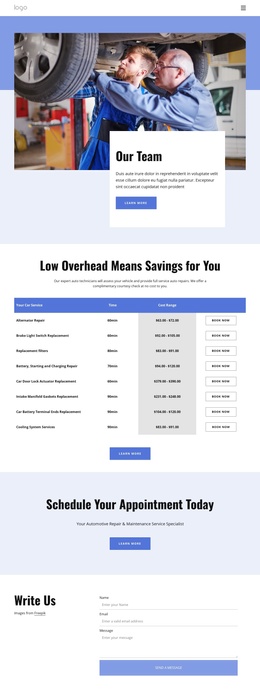
Editing Joomla content visually with Nicepage

More from Cars & Transportation Joomla Templates