Business developmen Joomla Template



The contact panel gives Joomla-managed service content a clear structure
The dark contact panel groups the section’s practical information into recognizable content units: Call Us introduces two displayed phone numbers, Location accompanies a listed New York address, and Our Top Services introduces Local transfers, Airport Transfers, and Excursions and Tours. These labels make the lower row readable as a structured service and contact area rather than a single undifferentiated text panel. The phone numbers and address should be treated as the supplied content for the section, while the arrangement provides a clear pattern for contact information within a Joomla-managed page.
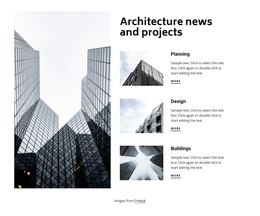
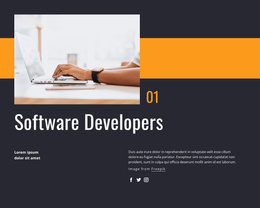
The adjacent red panel changes the emphasis from reference information to promotion. Its heading, “Winning tactics for a new digital agency,” sits beside supporting copy and a Learn More action, giving the section a distinct informational and promotional relationship. Above both panels, the large grayscale image and two stacked smaller images form a visual introduction, while the supporting lower-row image balances the contact content. In a Joomla project, this block can serve as one reusable content region for structured service information, contact details, and a promotional message. The broader site can manage additional articles and page content around it, while this section retains its own visual grouping and service-focused purpose.
Customize with Nicepage
Open this ready-made template in the Joomla Page Builder and customize it visually in the Nicepage editor. Replace demo content, edit page sections, and adapt the design to your project without rebuilding the template from scratch.
Edit Template Offline
2. Create a new page or select existing
3. Click Add new block, search for id 237880 and click enter
Edit Template Online
Create Awesome Websites


Free Nicepage Builder
Keywords
Work With This Template in Joomla
Customize and Install the Joomla Template
Start with this ready-made template instead of building the Joomla design from scratch. Customize its layout, content, typography, images, sections, and other design elements visually in the Nicepage application, then export and install the Joomla Template, Nicepage Extension, and supported content on your Joomla website.
Edit the Template Directly in Joomla
After installation, you can edit the Joomla Template directly in Joomla with the Nicepage Joomla Extension. Customize the Header, Footer, Colors, Fonts, typography, and Page Templates from the Joomla workflow while keeping the site design connected with your CMS content.
Edit Joomla Articles Visually
Use the Nicepage Joomla Extension to open and edit Joomla Articles visually from the Joomla Administrator. Change text, images, sections, layouts, and other page content in the Nicepage editor while continuing to manage the Articles through Joomla.
Joomla Content and Template Integration
Use the customized template together with Joomla Articles, module Positions, menus, forms, Blog Pages, and other supported CMS elements. With the Nicepage Extension used as the Site Style Source, shared design settings can be applied across Joomla Articles while Joomla continues to provide the CMS environment for managing site content.
This workflow combines a ready-made Joomla Template with visual customization, direct template editing in Joomla, and continued content management through the Nicepage Joomla Extension.