
Creative writing courses Joomla Template


Edit Template Offline
2. Create new page and search for id 183435
Edit Template Online
Create Awesome Websites


Free Nicepage Builder
Keywords
Class Categories and Contact Regions Divide the Design into Managed Content
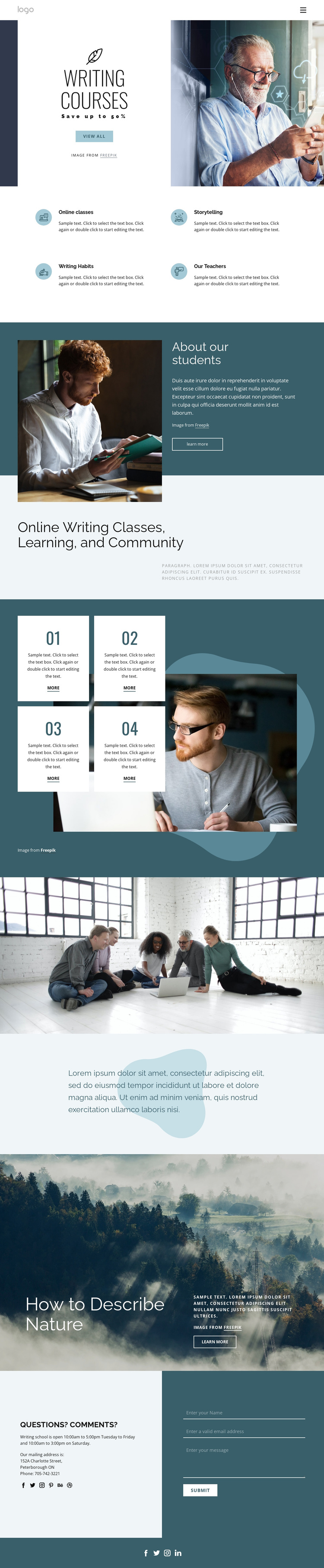
The four repeated course categories give this design a natural set of structured information areas. Online classes, storytelling, writing habits, and teachers are presented as parallel items rather than as one uninterrupted paragraph, making them suitable reference points for organized educational content. The student introduction adds a different region, combining an image, supporting text, and a “Learn more” action to separate learner context from course categories.
The numbered 01–04 cards extend that organization into a sequence of learning resources or steps. Their repeated layout can accommodate related descriptions while the writer photograph remains a shared visual setting. The nature-writing block then introduces a more focused topic, with text and action controls placed over a full-width image. Together, these sections create distinct content regions connected by the same navigation and visual direction.
The closing Questions? Comments? area is especially important for a CMS-managed school site. It brings together opening hours, mailing and phone information, social links, and a contact form with name, email, and message inputs. In a Joomla project, these different regions can be maintained as coordinated site content while the header, footer, and navigation preserve the page’s overall structure. The design therefore supports organized course information, resource sections, and inquiries without reducing Joomla interpretation to a simple CMS label.
Customize with Nicepage
Open this ready-made template in the Joomla Page Builder and customize it visually in the Nicepage editor. Replace demo content, edit page sections, and adapt the design to your project without rebuilding the template from scratch.
Work With This Template in Joomla
Customize and Install the Joomla Template
Start with this ready-made template instead of building the Joomla design from scratch. Customize its layout, content, typography, images, sections, and other design elements visually in the Nicepage application, then export and install the Joomla Template, Nicepage Extension, and supported content on your Joomla website.
Edit the Template Directly in Joomla
After installation, you can edit the Joomla Template directly in Joomla with the Nicepage Joomla Extension. Customize the Header, Footer, Colors, Fonts, typography, and Page Templates from the Joomla workflow while keeping the site design connected with your CMS content.
Edit Joomla Articles Visually
Use the Nicepage Joomla Extension to open and edit Joomla Articles visually from the Joomla Administrator. Change text, images, sections, layouts, and other page content in the Nicepage editor while continuing to manage the Articles through Joomla.
Joomla Content and Template Integration
Use the customized template together with Joomla Articles, module Positions, menus, forms, Blog Pages, and other supported CMS elements. With the Nicepage Extension used as the Site Style Source, shared design settings can be applied across Joomla Articles while Joomla continues to provide the CMS environment for managing site content.
This workflow combines a ready-made Joomla Template with visual customization, direct template editing in Joomla, and continued content management through the Nicepage Joomla Extension.





















