Keys to happier living Joomla Template


Two Wellbeing Content Areas Form a Structured CMS Section
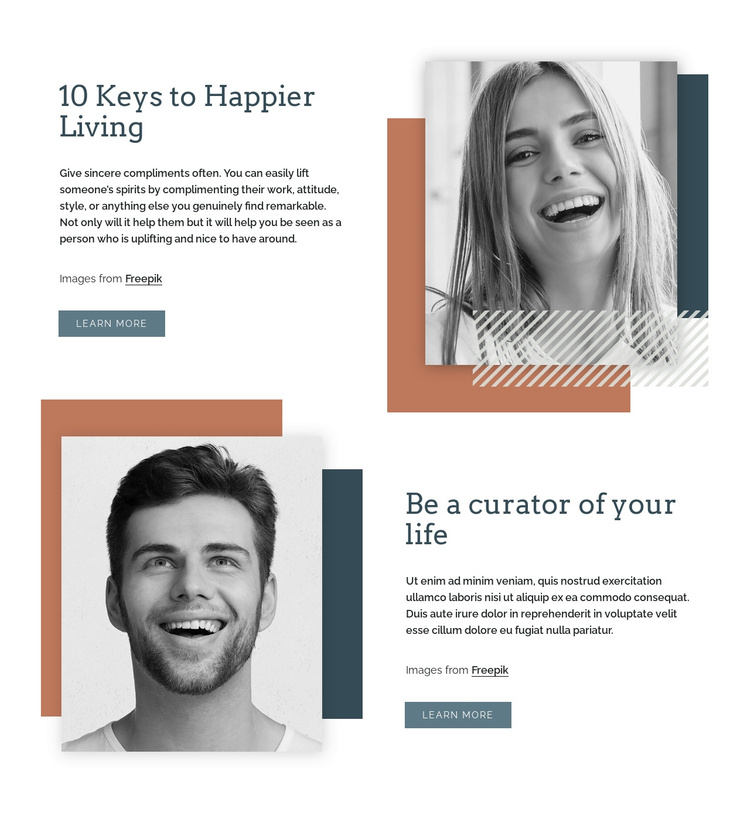
“10 Keys to Happier Living” and “Be a curator of your life” give the section two recognizable informational units rather than one uninterrupted text panel. Each unit contains a heading, supporting paragraph, monochrome portrait, image-credit label, and learn more button. The repeated content pattern creates a stable relationship between the written message, its visual illustration, and the link to further material, while the alternating placement prevents the second unit from feeling like a duplicate of the first.
The first unit reads from a left text column toward a right-side portrait. Below it, the second unit reverses the direction, placing the portrait on the left and the text on the right. Rectangular color blocks and striped geometric accents frame both images, helping distinguish the units while preserving a shared visual language. Dark blue-gray type, serif headings, muted terracotta and blue-gray shapes, and generous white space keep the section coherent across its two content groups.
In a Joomla-managed page, this arrangement can serve as a reusable structured content region for inspirational or wellbeing material. The broader site can manage related pages and editorial content separately, while this section preserves its two-part visual and informational pattern. The learn more buttons provide clear outward paths without changing the block into a complete page or requiring CMS components inside it.
Customize with Nicepage
Open this ready-made template in the Joomla Page Builder and customize it visually in the Nicepage editor. Replace demo content, edit page sections, and adapt the design to your project without rebuilding the template from scratch.
Edit Template Offline
2. Create a new page or select existing
3. Click Add new block, search for id 222747 and click enter
Edit Template Online
Create Awesome Websites


Free Nicepage Builder
Keywords
Work With This Template in Joomla
Customize and Install the Joomla Template
Start with this ready-made template instead of building the Joomla design from scratch. Customize its layout, content, typography, images, sections, and other design elements visually in the Nicepage application, then export and install the Joomla Template, Nicepage Extension, and supported content on your Joomla website.
Edit the Template Directly in Joomla
After installation, you can edit the Joomla Template directly in Joomla with the Nicepage Joomla Extension. Customize the Header, Footer, Colors, Fonts, typography, and Page Templates from the Joomla workflow while keeping the site design connected with your CMS content.
Edit Joomla Articles Visually
Use the Nicepage Joomla Extension to open and edit Joomla Articles visually from the Joomla Administrator. Change text, images, sections, layouts, and other page content in the Nicepage editor while continuing to manage the Articles through Joomla.
Joomla Content and Template Integration
Use the customized template together with Joomla Articles, module Positions, menus, forms, Blog Pages, and other supported CMS elements. With the Nicepage Extension used as the Site Style Source, shared design settings can be applied across Joomla Articles while Joomla continues to provide the CMS environment for managing site content.
This workflow combines a ready-made Joomla Template with visual customization, direct template editing in Joomla, and continued content management through the Nicepage Joomla Extension.