Pharmacy and medicine Joomla Template



Edit Template Offline
2. Create new page and search for id 16713
Edit Template Online
Create Awesome Websites


Free Nicepage Builder
Keywords
Departments and Care Regions Suit Structured Joomla Content
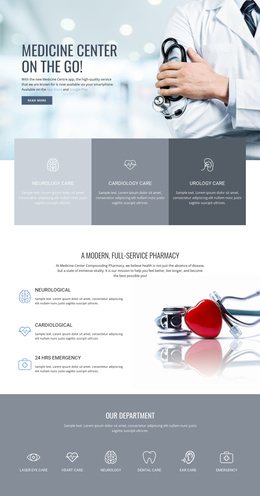
The page divides healthcare information into several regions that can be understood as organized CMS content: broad care categories, a pharmacy service explanation, a department directory, focused care information, specialist profiles, and contact content. The three cards for ambulatory, cardiology, and urology care establish an initial grouping, while the six-item department band provides a second, more detailed way to present medical areas. This distinction can help keep general service navigation separate from specialty-oriented content.
The pharmacy section connects a short service list with a medicines image, and the heart-care section gives one care theme a larger explanatory treatment. Later, the child, dental, and birth care cards create another repeated content group. The map with location markers adds a geographic region, while the three physician portraits create a people-focused area. Together, these regions offer a coherent visual framework for structured healthcare information without claiming that Joomla Articles, categories, or modules already exist in the source design.
In a Joomla project, the shared visual arrangement could support CMS-managed navigation and recurring informational content while preserving the distinction between departments, care services, specialists, and contact communication. The Joomla Extension is an optional product bridge when the design is adapted to Joomla, but the main value here comes from the page’s clearly divided content regions rather than from an installation workflow.
Customize with Nicepage
Open this ready-made template in the Joomla Page Builder and customize it visually in the Nicepage editor. Replace demo content, edit page sections, and adapt the design to your project without rebuilding the template from scratch.
Work With This Template in Joomla
Customize and Install the Joomla Template
Start with this ready-made template instead of building the Joomla design from scratch. Customize its layout, content, typography, images, sections, and other design elements visually in the Nicepage application, then export and install the Joomla Template, Nicepage Extension, and supported content on your Joomla website.
Edit the Template Directly in Joomla
After installation, you can edit the Joomla Template directly in Joomla with the Nicepage Joomla Extension. Customize the Header, Footer, Colors, Fonts, typography, and Page Templates from the Joomla workflow while keeping the site design connected with your CMS content.
Edit Joomla Articles Visually
Use the Nicepage Joomla Extension to open and edit Joomla Articles visually from the Joomla Administrator. Change text, images, sections, layouts, and other page content in the Nicepage editor while continuing to manage the Articles through Joomla.
Joomla Content and Template Integration
Use the customized template together with Joomla Articles, module Positions, menus, forms, Blog Pages, and other supported CMS elements. With the Nicepage Extension used as the Site Style Source, shared design settings can be applied across Joomla Articles while Joomla continues to provide the CMS environment for managing site content.
This workflow combines a ready-made Joomla Template with visual customization, direct template editing in Joomla, and continued content management through the Nicepage Joomla Extension.