Welcome to dental clinic Joomla Template



Edit Template Offline
2. Create new page and search for id 5588853
Edit Template Online
Create Awesome Websites


Free Nicepage Builder
Keywords
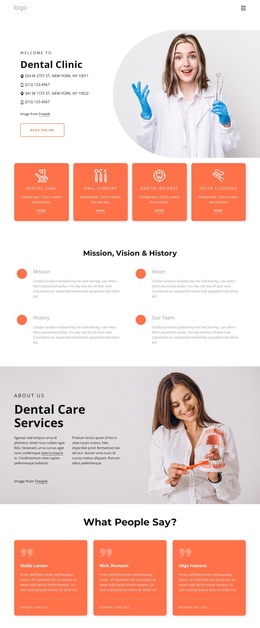
Service Groups and Contact Regions Give the Clinic a Clear CMS Shape
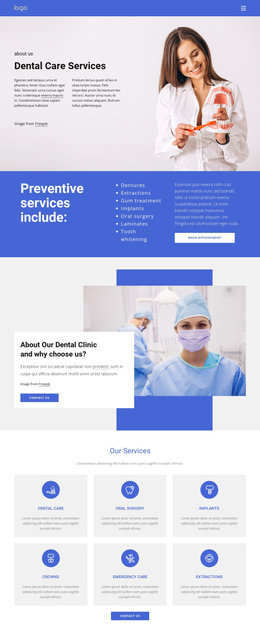
The page divides dental information into recurring regions that can be understood as managed clinic content rather than one uninterrupted promotional message. The four service categories—Dental Care, Oral Surgery, Implants, and Crown—form the central treatment structure. They can guide how a Joomla project organizes service information while preserving a common visual direction. The dentist photograph and overlapping smile-health panel then provide a separate explanatory region for patient-focused messaging.
The gallery and testimonial band add two different kinds of supporting content. Four patient smile photographs create a visual treatment area, while three testimonial entries provide a separate social-proof region. Their roles are distinct: one helps visitors understand the visual subject of the page, and the other supplies patient-oriented statements. The dental information guide offer introduces another content area, connecting useful educational material with a contact-oriented interaction without presenting sample names or contact values as verified clinic facts.
At the lower end, the question prompt, two service feature blocks, and final contact region create reusable destinations for inquiries and service information. The final band combines a form, telephone details, and social links before the dark footer strip closes the page. In a Joomla implementation, this separation can support organized navigation and CMS-managed clinic content. Nicepage’s Joomla Extension is a relevant product bridge, but the template analysis does not prove that Joomla content already exists.
Customize with Nicepage
Open this ready-made template in the Joomla Page Builder and customize it visually in the Nicepage editor. Replace demo content, edit page sections, and adapt the design to your project without rebuilding the template from scratch.
Work With This Template in Joomla
Customize and Install the Joomla Template
Start with this ready-made template instead of building the Joomla design from scratch. Customize its layout, content, typography, images, sections, and other design elements visually in the Nicepage application, then export and install the Joomla Template, Nicepage Extension, and supported content on your Joomla website.
Edit the Template Directly in Joomla
After installation, you can edit the Joomla Template directly in Joomla with the Nicepage Joomla Extension. Customize the Header, Footer, Colors, Fonts, typography, and Page Templates from the Joomla workflow while keeping the site design connected with your CMS content.
Edit Joomla Articles Visually
Use the Nicepage Joomla Extension to open and edit Joomla Articles visually from the Joomla Administrator. Change text, images, sections, layouts, and other page content in the Nicepage editor while continuing to manage the Articles through Joomla.
Joomla Content and Template Integration
Use the customized template together with Joomla Articles, module Positions, menus, forms, Blog Pages, and other supported CMS elements. With the Nicepage Extension used as the Site Style Source, shared design settings can be applied across Joomla Articles while Joomla continues to provide the CMS environment for managing site content.
This workflow combines a ready-made Joomla Template with visual customization, direct template editing in Joomla, and continued content management through the Nicepage Joomla Extension.