Ocean landscape Joomla Template


A Centered Ocean Image Organizes Structured Editorial Content
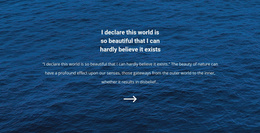
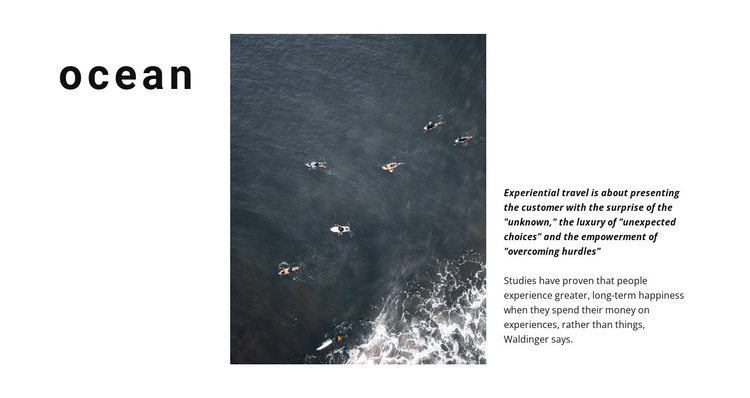
The lowercase “ocean” heading establishes the subject before the square aerial photograph takes the central position. The image shows ocean water, swimmers, and surf, giving the section a clear visual reference rather than leaving the topic to text alone. On the right, an emphasized opening statement introduces experiential travel through ideas of surprise, unexpected choices, and overcoming hurdles. A supporting paragraph then develops that theme by contrasting experiences with possessions.
This arrangement creates three distinct but connected content regions: a subject label, a visual focus, and an editorial explanation. The relationship is useful for a Joomla-managed page because the section can present structured thematic information without depending on the block itself to provide site navigation or a complete page framework. The heading identifies the content area, the image reinforces its ocean and nature context, and the right-hand copy carries the longer interpretation.
Within a broader Joomla project, this block could serve as an article-like introduction or a thematic mid-page region for travel, nature, or editorial content. Its static structure is straightforward to preserve as a reusable visual section while surrounding Joomla-managed content handles related material elsewhere. The three-part composition also gives editors a clear separation between the short label, visual reference, and supporting explanation.
Customize with Nicepage
Open this ready-made template in the Joomla Page Builder and customize it visually in the Nicepage editor. Replace demo content, edit page sections, and adapt the design to your project without rebuilding the template from scratch.
Edit Template Offline
2. Create a new page or select existing
3. Click Add new block, search for id 159373 and click enter
Edit Template Online
Create Awesome Websites


Free Nicepage Builder
Keywords
Work With This Template in Joomla
Customize and Install the Joomla Template
Start with this ready-made template instead of building the Joomla design from scratch. Customize its layout, content, typography, images, sections, and other design elements visually in the Nicepage application, then export and install the Joomla Template, Nicepage Extension, and supported content on your Joomla website.
Edit the Template Directly in Joomla
After installation, you can edit the Joomla Template directly in Joomla with the Nicepage Joomla Extension. Customize the Header, Footer, Colors, Fonts, typography, and Page Templates from the Joomla workflow while keeping the site design connected with your CMS content.
Edit Joomla Articles Visually
Use the Nicepage Joomla Extension to open and edit Joomla Articles visually from the Joomla Administrator. Change text, images, sections, layouts, and other page content in the Nicepage editor while continuing to manage the Articles through Joomla.
Joomla Content and Template Integration
Use the customized template together with Joomla Articles, module Positions, menus, forms, Blog Pages, and other supported CMS elements. With the Nicepage Extension used as the Site Style Source, shared design settings can be applied across Joomla Articles while Joomla continues to provide the CMS environment for managing site content.
This workflow combines a ready-made Joomla Template with visual customization, direct template editing in Joomla, and continued content management through the Nicepage Joomla Extension.