
Four columns with text and photos WordPress Theme


Construction Innovation as Structured WordPress Page Content
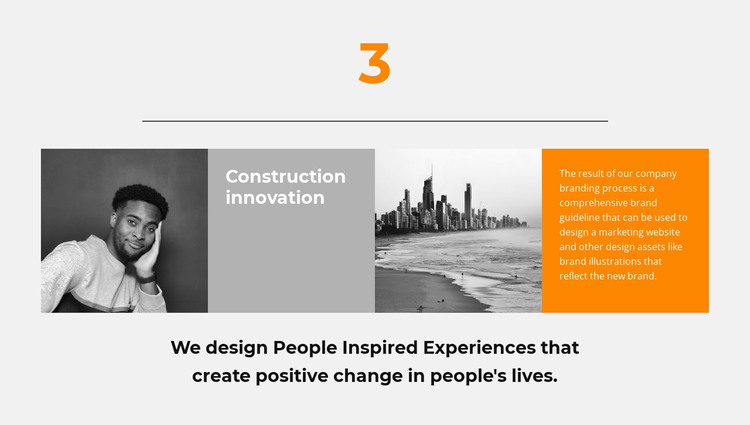
The section’s content has a stable, page-oriented shape: a feature label, two supporting images, an orange explanatory area, and a centered closing statement. In a WordPress-managed project, that combination can function as a reusable visual section for presenting one innovation or case-study subject. The portrait image and city image create alternating visual references, while the title panel and explanatory copy guide the reader from identification to context. The copy’s references to brand guidelines, a marketing website, and brand illustrations give the section a defined information focus without requiring the block to carry an entire page.
The lower centered statement adds a second content layer rather than another repeated card or interactive control. It reinforces the theme after the visitor has read the four-panel strip, so the section can sit naturally between other stable page areas. The light gray background, orange text panel, dark headings, and centered alignment also provide a consistent visual treatment that can remain recognizable when the broader WordPress project grows around it. In a WordPress Theme context, the block should be understood as page content that participates in the surrounding theme and editorial structure, not as a standalone theme itself. Nicepage supports WordPress workflows for managing pages and visual content, but the important role here is the preservation of this specific feature section within the larger CMS-managed page.
Customize with Nicepage
Open this ready-made template in the WordPress Website Builder and customize it visually in the Nicepage editor. Replace demo content, edit page sections, and adapt the design to your project without rebuilding the template from scratch.
Edit Template Offline
2. Create a new page or select existing
3. Click Add new block, search for id 864566 and click enter
Edit Template Online
Create Awesome Websites


Free Nicepage Builder
Keywords
Manage and Edit This Theme in WordPress
Customize and Install the WordPress Theme
Start with this ready-made theme instead of building the WordPress design from scratch. Customize its layout, content, typography, images, sections, and other design elements visually in Nicepage editor, then export and install the WordPress Theme, Plugin, and Pages on your WordPress site. The Nicepage WordPress Plugin lets you continue working with the site after installation.
Edit the Theme Directly in WordPress
After installation, you can edit the WordPress Theme directly in WordPress with the Nicepage WordPress Plugin. Use Site Style to customize site Colors, Fonts, Header, Footer, Blog, and Post Page Templates while working within your WordPress website.
Edit WordPress Pages Visually
Use the Nicepage WordPress Plugin to edit page content directly from the WordPress admin area. Open a WordPress Page with Nicepage and visually change its text, images, sections, and other page elements while continuing to manage the Page through WordPress.
WordPress Content and Theme Integration
Use the customized theme with WordPress Pages, Posts, Blog and Post Templates, menus, widgets, and other CMS-managed content. Shared theme elements such as Colors, Fonts, Header, Footer, Blog, and Post Page Templates can be managed as part of the overall site design, while WordPress provides the CMS environment for managing site content.
This workflow combines a ready-made WordPress Theme with visual customization, direct theme editing in WordPress, and continued content management through the Nicepage WordPress Plugin.





























































