Illustration and team WordPress Theme


Circular Profiles Create Stable Team Content for a WordPress Page
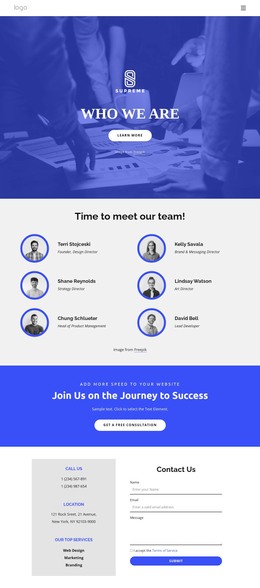
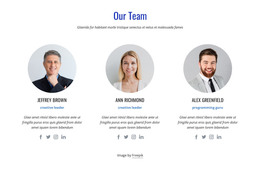
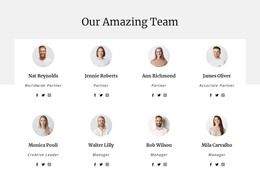
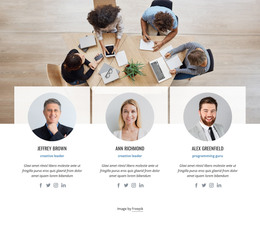
The five circular portraits make this block well suited to stable team content on a WordPress-managed page. Each profile follows the same visual pattern, pairing a person label with a role label beneath the shared business illustration. That consistency lets visitors compare the entries quickly, while the centered row keeps the group visually connected instead of presenting five unrelated image-and-text combinations.
The visible roles—Developer, Manager, Designer, Designer, and Developer—give the section a practical content focus. They describe the type of information carried by each profile without requiring the block to explain the broader organization, services, or company story. In a WordPress-oriented project, the section can therefore sit as permanent page content on a team or about area, while other page regions handle introductions, offerings, articles, or contact information.
The white background and generous vertical spacing support that role by separating the illustration from the profile details. The block has no heading and no confirmed interactive control, so its communication depends on the straightforward relationship between image, name, and role. That makes it easy to preserve as a recognizable content section while the surrounding WordPress-managed page develops around it. The block contributes a people-centered information area; it does not need to represent an entire WordPress Theme or determine the structure of the wider site.
Customize with Nicepage
Open this ready-made template in the WordPress Website Builder and customize it visually in the Nicepage editor. Replace demo content, edit page sections, and adapt the design to your project without rebuilding the template from scratch.
Edit Template Offline
2. Create a new page or select existing
3. Click Add new block, search for id 826921 and click enter
Edit Template Online
Create Awesome Websites


Free Nicepage Builder
Keywords
Manage and Edit This Theme in WordPress
Customize and Install the WordPress Theme
Start with this ready-made theme instead of building the WordPress design from scratch. Customize its layout, content, typography, images, sections, and other design elements visually in Nicepage editor, then export and install the WordPress Theme, Plugin, and Pages on your WordPress site. The Nicepage WordPress Plugin lets you continue working with the site after installation.
Edit the Theme Directly in WordPress
After installation, you can edit the WordPress Theme directly in WordPress with the Nicepage WordPress Plugin. Use Site Style to customize site Colors, Fonts, Header, Footer, Blog, and Post Page Templates while working within your WordPress website.
Edit WordPress Pages Visually
Use the Nicepage WordPress Plugin to edit page content directly from the WordPress admin area. Open a WordPress Page with Nicepage and visually change its text, images, sections, and other page elements while continuing to manage the Page through WordPress.
WordPress Content and Theme Integration
Use the customized theme with WordPress Pages, Posts, Blog and Post Templates, menus, widgets, and other CMS-managed content. Shared theme elements such as Colors, Fonts, Header, Footer, Blog, and Post Page Templates can be managed as part of the overall site design, while WordPress provides the CMS environment for managing site content.
This workflow combines a ready-made WordPress Theme with visual customization, direct theme editing in WordPress, and continued content management through the Nicepage WordPress Plugin.