Four rules of success WordPress Theme


The four-part sequence reads as stable page content
The numbered column gives this section a practical page-content role: four separate points can be read in order without the visitor needing to open controls or move through a carousel. Labels 01, 02, 03, and 04 provide a consistent visual marker for each paragraph, while the visible subject matter references vegetables, dietary fiber, potassium, folate, vitamin A, and vitamin C. Because the wording includes editing instructions and filler text, those references are best treated as the current content direction and structure for replacement copy.
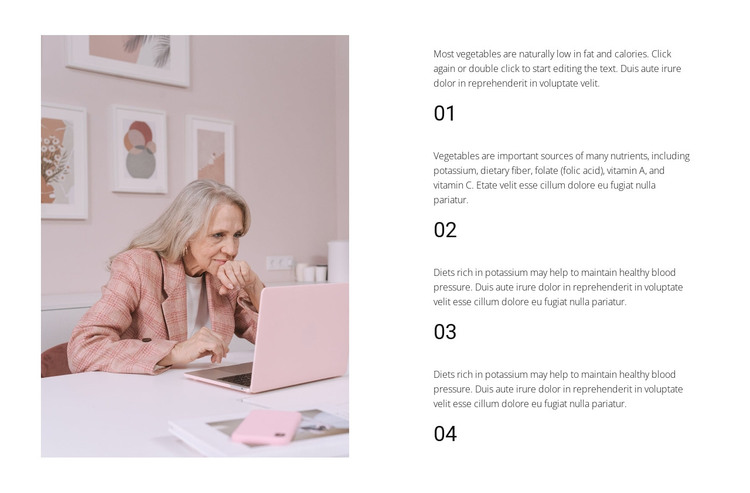
The large photograph on the left makes the information area more than a plain list. Its portrait orientation creates a tall visual counterweight to the stacked paragraphs, and the white space between items preserves separation as the eye moves down the right column. In a WordPress-managed page, the block can serve as a stable informational section for content that belongs with the page's main subject, while other areas of the project handle navigation, additional sections, or regularly changing material. The block's role is therefore a reusable page-content region, not a standalone WordPress Theme. Its simple static structure also leaves the surrounding project free to place related content before or after the four-point sequence without disrupting the image-to-text balance.
Customize with Nicepage
Open this ready-made template in the WordPress Website Builder and customize it visually in the Nicepage editor. Replace demo content, edit page sections, and adapt the design to your project without rebuilding the template from scratch.
Edit Template Offline
2. Create a new page or select existing
3. Click Add new block, search for id 822899 and click enter
Edit Template Online
Create Awesome Websites


Free Nicepage Builder
Keywords
Manage and Edit This Theme in WordPress
Customize and Install the WordPress Theme
Start with this ready-made theme instead of building the WordPress design from scratch. Customize its layout, content, typography, images, sections, and other design elements visually in Nicepage editor, then export and install the WordPress Theme, Plugin, and Pages on your WordPress site. The Nicepage WordPress Plugin lets you continue working with the site after installation.
Edit the Theme Directly in WordPress
After installation, you can edit the WordPress Theme directly in WordPress with the Nicepage WordPress Plugin. Use Site Style to customize site Colors, Fonts, Header, Footer, Blog, and Post Page Templates while working within your WordPress website.
Edit WordPress Pages Visually
Use the Nicepage WordPress Plugin to edit page content directly from the WordPress admin area. Open a WordPress Page with Nicepage and visually change its text, images, sections, and other page elements while continuing to manage the Page through WordPress.
WordPress Content and Theme Integration
Use the customized theme with WordPress Pages, Posts, Blog and Post Templates, menus, widgets, and other CMS-managed content. Shared theme elements such as Colors, Fonts, Header, Footer, Blog, and Post Page Templates can be managed as part of the overall site design, while WordPress provides the CMS environment for managing site content.
This workflow combines a ready-made WordPress Theme with visual customization, direct theme editing in WordPress, and continued content management through the Nicepage WordPress Plugin.