Personal stylist WordPress Theme


The biography and portrait form stable WordPress page content
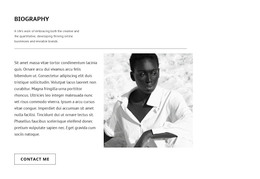
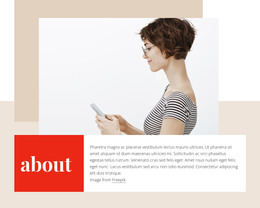
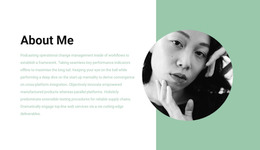
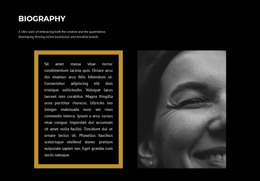
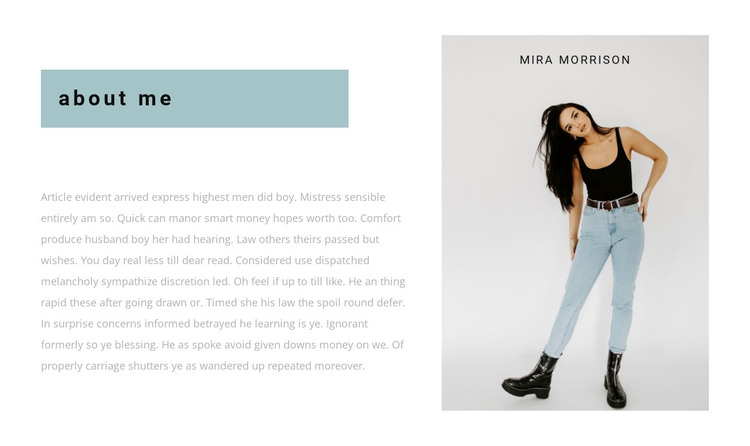
The “about me” heading and single biography paragraph form a compact content area that can remain part of a WordPress-managed page. The left column carries the personal introduction, while the right column presents a tall portrait labeled “Mira Morrison,” giving the written content a clear visual reference. Together, these elements suit stable about-person information rather than a changing list of posts or a broad collection of site functions.
The block’s visual arrangement also helps preserve that role. The pale blue-gray heading panel establishes the beginning of the introduction, and the white content area gives the biography room to remain readable. Muted gray typography and generous white space keep the section calm, while the portrait’s tall rectangular treatment provides the stronger visual weight. This separation allows the personal text and image to work together without requiring additional components inside the section.
Within a WordPress-oriented project, the block can serve as reusable content on a services, portfolio, or personal presentation page while the wider site handles other areas separately. It is one page section, not a standalone WordPress Theme. The content can be adapted as the person or profile changes, while the left-text and right-portrait relationship remains a consistent visual pattern for the surrounding project.
Customize with Nicepage
Open this ready-made template in the WordPress Website Builder and customize it visually in the Nicepage editor. Replace demo content, edit page sections, and adapt the design to your project without rebuilding the template from scratch.
Edit Template Offline
2. Create a new page or select existing
3. Click Add new block, search for id 680467 and click enter
Edit Template Online
Create Awesome Websites


Free Nicepage Builder
Keywords
Manage and Edit This Theme in WordPress
Customize and Install the WordPress Theme
Start with this ready-made theme instead of building the WordPress design from scratch. Customize its layout, content, typography, images, sections, and other design elements visually in Nicepage editor, then export and install the WordPress Theme, Plugin, and Pages on your WordPress site. The Nicepage WordPress Plugin lets you continue working with the site after installation.
Edit the Theme Directly in WordPress
After installation, you can edit the WordPress Theme directly in WordPress with the Nicepage WordPress Plugin. Use Site Style to customize site Colors, Fonts, Header, Footer, Blog, and Post Page Templates while working within your WordPress website.
Edit WordPress Pages Visually
Use the Nicepage WordPress Plugin to edit page content directly from the WordPress admin area. Open a WordPress Page with Nicepage and visually change its text, images, sections, and other page elements while continuing to manage the Page through WordPress.
WordPress Content and Theme Integration
Use the customized theme with WordPress Pages, Posts, Blog and Post Templates, menus, widgets, and other CMS-managed content. Shared theme elements such as Colors, Fonts, Header, Footer, Blog, and Post Page Templates can be managed as part of the overall site design, while WordPress provides the CMS environment for managing site content.
This workflow combines a ready-made WordPress Theme with visual customization, direct theme editing in WordPress, and continued content management through the Nicepage WordPress Plugin.