3 Days only sale WordPress Theme


A Stable Promotional Content Area for WordPress Pages
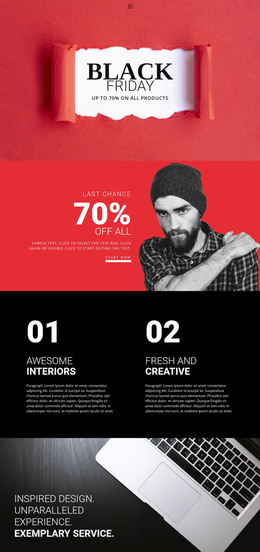
The block reads as a focused piece of permanent campaign content: the “2 days only” label establishes the promotion’s timing, the “super sale” heading names the event, and the “up to 70% discount” statement communicates the displayed value. These three lines work together as one page section rather than as separate editorial entries. Their centered arrangement makes the offer recognizable when it appears among other content areas in a WordPress-managed project.
The visual structure supports that stable role. Deep navy and purple form the full-width background image, colorful abstract confetti provides a festive layer, and pink, white, and orange typography separates the information levels. Generous surrounding space preserves the message’s emphasis and gives the section a distinct campaign appearance. If the promotion changes, the text can be refreshed while the same visual relationship continues to organize the page content.
Within a WordPress-oriented site, the block can suit a promotional page area, a seasonal campaign section, or a sale announcement placed near related product content. Its strongest contribution is a reusable visual container for clear offer messaging. The broader project can manage surrounding pages and publishing context, while this section retains its specific role: presenting a time-limited discount through a concise, high-contrast composition.
Customize with Nicepage
Open this ready-made template in the WordPress Website Builder and customize it visually in the Nicepage editor. Replace demo content, edit page sections, and adapt the design to your project without rebuilding the template from scratch.
Edit Template Offline
2. Create a new page or select existing
3. Click Add new block, search for id 63372 and click enter
Edit Template Online
Create Awesome Websites


Free Nicepage Builder
Keywords
Manage and Edit This Theme in WordPress
Customize and Install the WordPress Theme
Start with this ready-made theme instead of building the WordPress design from scratch. Customize its layout, content, typography, images, sections, and other design elements visually in Nicepage editor, then export and install the WordPress Theme, Plugin, and Pages on your WordPress site. The Nicepage WordPress Plugin lets you continue working with the site after installation.
Edit the Theme Directly in WordPress
After installation, you can edit the WordPress Theme directly in WordPress with the Nicepage WordPress Plugin. Use Site Style to customize site Colors, Fonts, Header, Footer, Blog, and Post Page Templates while working within your WordPress website.
Edit WordPress Pages Visually
Use the Nicepage WordPress Plugin to edit page content directly from the WordPress admin area. Open a WordPress Page with Nicepage and visually change its text, images, sections, and other page elements while continuing to manage the Page through WordPress.
WordPress Content and Theme Integration
Use the customized theme with WordPress Pages, Posts, Blog and Post Templates, menus, widgets, and other CMS-managed content. Shared theme elements such as Colors, Fonts, Header, Footer, Blog, and Post Page Templates can be managed as part of the overall site design, while WordPress provides the CMS environment for managing site content.
This workflow combines a ready-made WordPress Theme with visual customization, direct theme editing in WordPress, and continued content management through the Nicepage WordPress Plugin.