Detailed plan WordPress Theme


Edit Template Offline
2. Create new page and search for id 6045236
Edit Template Online
Create Awesome Websites


Free Nicepage Builder
Keywords
The About Page Separates Permanent Profile Content From Repeated Entries
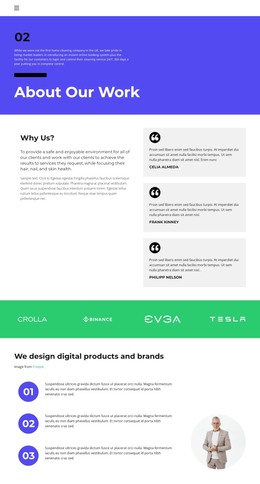
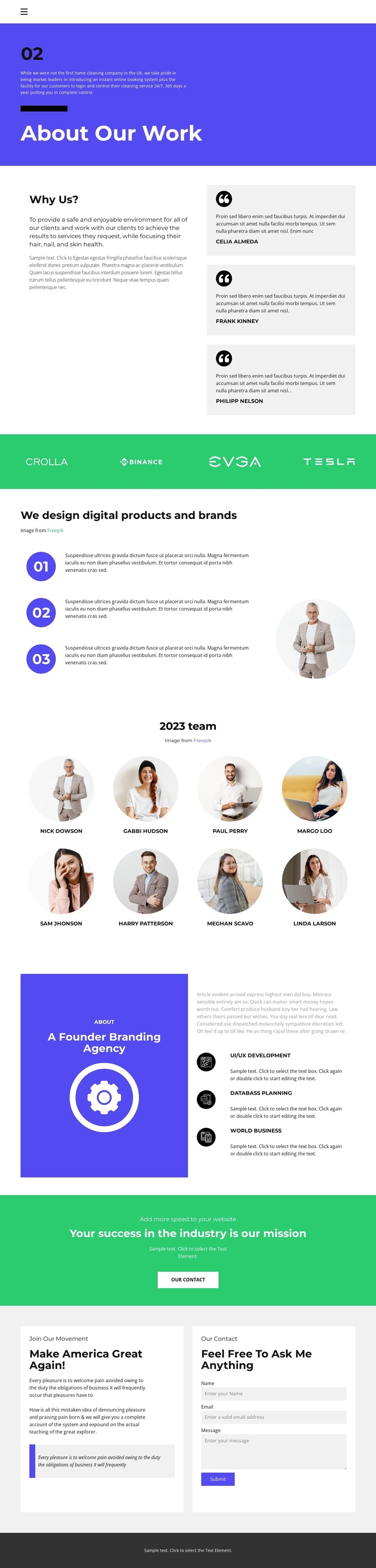
The design divides its organizational story into content areas that can translate naturally into a WordPress-managed site. The opening About Our Work section supplies permanent profile information, while the Why Us? region adds explanatory copy beside three repeated quote cards. A separate brand-mark strip can support associated identity content, and the three numbered process items give the page a concise sequence for describing digital product and brand work.
The team presentation works differently from those introductory sections: eight named entries are arranged as a repeated portrait group, creating a recognizable place for people-focused content. The capability panel then shifts toward service information through UI/UX Development, Databass Planning, and World Business. This mix of page-oriented profile content and repeatable entries can support a WordPress project that later publishes related organizational material while keeping shared visual elements consistent. The page does not verify a blog or post structure, so no such existing component is claimed here.
A green mission banner provides the final emphasis before the closing contact area. Its adjacent messaging and form create a practical response point, with fields for name, email, and message. That relationship between permanent About content, repeatable team information, capabilities, and inquiry content gives the theme a clear WordPress-oriented content model without reducing the interpretation to a CMS name swap.
Customize with Nicepage
Open this ready-made template in the WordPress Website Builder and customize it visually in the Nicepage editor. Replace demo content, edit page sections, and adapt the design to your project without rebuilding the template from scratch.
Manage and Edit This Theme in WordPress
Customize and Install the WordPress Theme
Start with this ready-made theme instead of building the WordPress design from scratch. Customize its layout, content, typography, images, sections, and other design elements visually in Nicepage editor, then export and install the WordPress Theme, Plugin, and Pages on your WordPress site. The Nicepage WordPress Plugin lets you continue working with the site after installation.
Edit the Theme Directly in WordPress
After installation, you can edit the WordPress Theme directly in WordPress with the Nicepage WordPress Plugin. Use Site Style to customize site Colors, Fonts, Header, Footer, Blog, and Post Page Templates while working within your WordPress website.
Edit WordPress Pages Visually
Use the Nicepage WordPress Plugin to edit page content directly from the WordPress admin area. Open a WordPress Page with Nicepage and visually change its text, images, sections, and other page elements while continuing to manage the Page through WordPress.
WordPress Content and Theme Integration
Use the customized theme with WordPress Pages, Posts, Blog and Post Templates, menus, widgets, and other CMS-managed content. Shared theme elements such as Colors, Fonts, Header, Footer, Blog, and Post Page Templates can be managed as part of the overall site design, while WordPress provides the CMS environment for managing site content.
This workflow combines a ready-made WordPress Theme with visual customization, direct theme editing in WordPress, and continued content management through the Nicepage WordPress Plugin.