First position WordPress Theme



Stable Service Content With a Clear WordPress Page Hierarchy
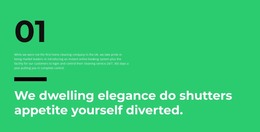
The paragraph is the block’s principal content area, presenting the home cleaning service together with online booking and customer account control. The large “01” marker identifies the section before the reader reaches that explanation, and the thick black divider creates a firm boundary before the oversized closing statement. This arrangement reads as stable informational page content: it explains a service capability, then gives the message a visually prominent conclusion.
In a WordPress-oriented project, the section can sit within a managed page while the wider site supplies other content areas. It could support a services or company-information page where the surrounding project handles navigation, additional offerings, customer contact, and any regularly maintained material. The block’s content remains a distinct visual section rather than becoming the WordPress Theme itself. Its bright green background can also help editors and designers recognize the section when coordinating it with other page content.
The static layout is especially suited to content that should retain a consistent presentation while its wording or imagery is reviewed as part of the broader page. The left-aligned column preserves a predictable reading path, and the divider keeps the detailed paragraph separate from the final statement. This gives the block a practical role as publishable service information in a WordPress-managed environment, with the surrounding theme responsible for the larger page framework.
Customize with Nicepage
Open this ready-made template in the WordPress Website Builder and customize it visually in the Nicepage editor. Replace demo content, edit page sections, and adapt the design to your project without rebuilding the template from scratch.
Edit Template Offline
2. Create a new page or select existing
3. Click Add new block, search for id 3097296 and click enter
Edit Template Online
Create Awesome Websites


Free Nicepage Builder
Keywords
Manage and Edit This Theme in WordPress
Customize and Install the WordPress Theme
Start with this ready-made theme instead of building the WordPress design from scratch. Customize its layout, content, typography, images, sections, and other design elements visually in Nicepage editor, then export and install the WordPress Theme, Plugin, and Pages on your WordPress site. The Nicepage WordPress Plugin lets you continue working with the site after installation.
Edit the Theme Directly in WordPress
After installation, you can edit the WordPress Theme directly in WordPress with the Nicepage WordPress Plugin. Use Site Style to customize site Colors, Fonts, Header, Footer, Blog, and Post Page Templates while working within your WordPress website.
Edit WordPress Pages Visually
Use the Nicepage WordPress Plugin to edit page content directly from the WordPress admin area. Open a WordPress Page with Nicepage and visually change its text, images, sections, and other page elements while continuing to manage the Page through WordPress.
WordPress Content and Theme Integration
Use the customized theme with WordPress Pages, Posts, Blog and Post Templates, menus, widgets, and other CMS-managed content. Shared theme elements such as Colors, Fonts, Header, Footer, Blog, and Post Page Templates can be managed as part of the overall site design, while WordPress provides the CMS environment for managing site content.
This workflow combines a ready-made WordPress Theme with visual customization, direct theme editing in WordPress, and continued content management through the Nicepage WordPress Plugin.