The right job for you WordPress Theme


Edit Template Offline
2. Create new page and search for id 5807422
Edit Template Online
Create Awesome Websites


Free Nicepage Builder
Keywords
A Portrait Introduction Supports Practical Contact Content
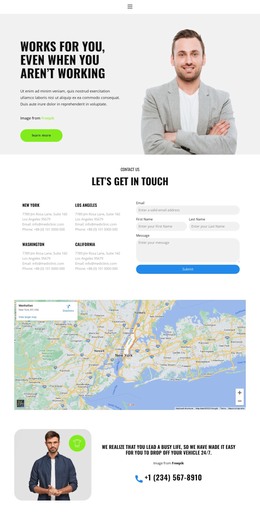
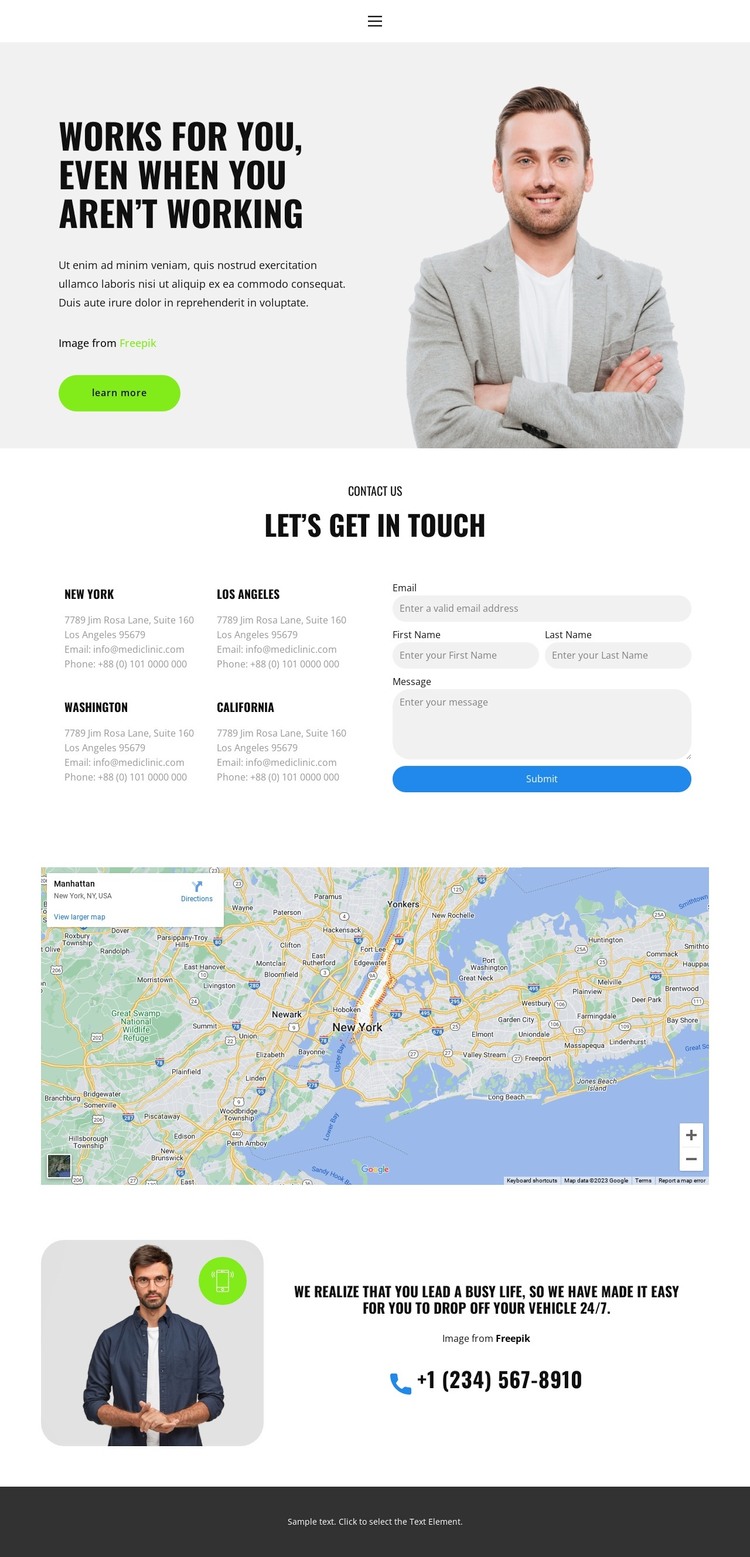
The portrait-led hero gives the page a recognizable opening before it moves into permanent contact information. Its bold heading, supporting paragraph, and Learn more button establish the first content layer, while the image adds a visual counterpart to the message. The main contact block then changes the rhythm from introduction to action by placing four location entries next to the inquiry form and Submit button. This relationship keeps page-oriented information and visitor response close together.
The map beneath the contact area can remain a distinct visual reference, supporting the location content without being confused with the form itself. Farther down, the closing image-and-text section introduces another content emphasis: a phone contact link connected to the message about making vehicle drop-off convenient. That combination of locations, inquiry form, map, and phone channel gives a WordPress-oriented page structure several clearly defined areas that can be maintained as the site’s content develops.
The page’s light gray and white backgrounds, smaller sans-serif text, bright accents, rounded controls, and dark footer help recurring content remain visually coordinated. The listed cities and sample contact values demonstrate placement only; they are not verified business facts. The design can therefore carry real page content, updated contact details, and related information while retaining the same visual relationship between introduction, locations, form, map, and direct phone response.
Customize with Nicepage
Open this ready-made template in the WordPress Website Builder and customize it visually in the Nicepage editor. Replace demo content, edit page sections, and adapt the design to your project without rebuilding the template from scratch.
Manage and Edit This Theme in WordPress
Customize and Install the WordPress Theme
Start with this ready-made theme instead of building the WordPress design from scratch. Customize its layout, content, typography, images, sections, and other design elements visually in Nicepage editor, then export and install the WordPress Theme, Plugin, and Pages on your WordPress site. The Nicepage WordPress Plugin lets you continue working with the site after installation.
Edit the Theme Directly in WordPress
After installation, you can edit the WordPress Theme directly in WordPress with the Nicepage WordPress Plugin. Use Site Style to customize site Colors, Fonts, Header, Footer, Blog, and Post Page Templates while working within your WordPress website.
Edit WordPress Pages Visually
Use the Nicepage WordPress Plugin to edit page content directly from the WordPress admin area. Open a WordPress Page with Nicepage and visually change its text, images, sections, and other page elements while continuing to manage the Page through WordPress.
WordPress Content and Theme Integration
Use the customized theme with WordPress Pages, Posts, Blog and Post Templates, menus, widgets, and other CMS-managed content. Shared theme elements such as Colors, Fonts, Header, Footer, Blog, and Post Page Templates can be managed as part of the overall site design, while WordPress provides the CMS environment for managing site content.
This workflow combines a ready-made WordPress Theme with visual customization, direct theme editing in WordPress, and continued content management through the Nicepage WordPress Plugin.