Portugal travel guide WordPress Theme


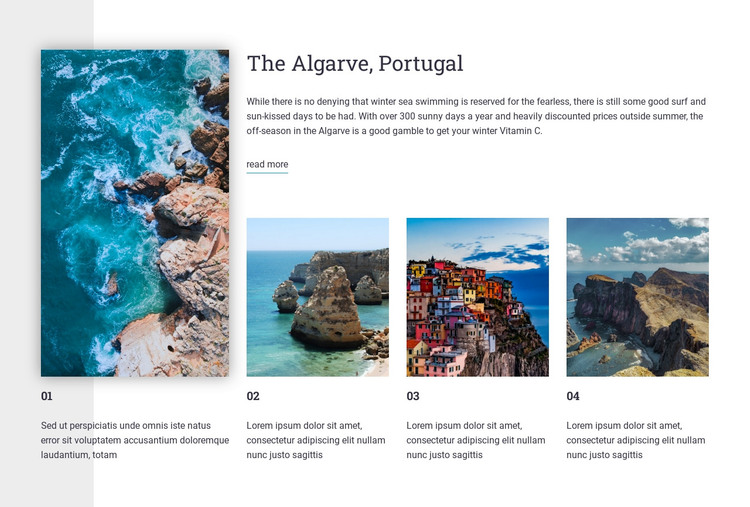
The Algarve feature works as stable publishable travel content
The section reads as durable destination content rather than a time-sensitive editorial list. “The Algarve, Portugal” establishes the subject, and the featured description develops it through references to winter sea swimming, surfing, sunshine, and off-season travel. The read-more link can lead to deeper destination material, while the three smaller numbered image-text items add related views of coastal scenery, colorful seaside buildings, and mountainous coastline.
For a WordPress-managed page, this arrangement can remain a consistent visual section while the broader site maintains other publishable content around it. The large left image gives the destination a clear lead, and the right-side row supplies a repeatable pattern for supplementary travel ideas. That distinction is useful when a permanent services, destinations, or inspiration page needs structured content that visitors can scan quickly.
The block itself is not a complete WordPress Theme; it is one page-content region that can fit within a larger theme and site structure. The white background, pale gray feature panel, serif heading, compact sans-serif copy, and numbered labels can preserve the section’s visual direction as its text and images are adapted. Other CMS-managed areas can handle navigation, additional destinations, itinerary details, or contact information outside this gallery.
Customize with Nicepage
Open this ready-made template in the WordPress Website Builder and customize it visually in the Nicepage editor. Replace demo content, edit page sections, and adapt the design to your project without rebuilding the template from scratch.
Edit Template Offline
2. Create a new page or select existing
3. Click Add new block, search for id 56801 and click enter
Edit Template Online
Create Awesome Websites


Free Nicepage Builder
Keywords
Manage and Edit This Theme in WordPress
Customize and Install the WordPress Theme
Start with this ready-made theme instead of building the WordPress design from scratch. Customize its layout, content, typography, images, sections, and other design elements visually in Nicepage editor, then export and install the WordPress Theme, Plugin, and Pages on your WordPress site. The Nicepage WordPress Plugin lets you continue working with the site after installation.
Edit the Theme Directly in WordPress
After installation, you can edit the WordPress Theme directly in WordPress with the Nicepage WordPress Plugin. Use Site Style to customize site Colors, Fonts, Header, Footer, Blog, and Post Page Templates while working within your WordPress website.
Edit WordPress Pages Visually
Use the Nicepage WordPress Plugin to edit page content directly from the WordPress admin area. Open a WordPress Page with Nicepage and visually change its text, images, sections, and other page elements while continuing to manage the Page through WordPress.
WordPress Content and Theme Integration
Use the customized theme with WordPress Pages, Posts, Blog and Post Templates, menus, widgets, and other CMS-managed content. Shared theme elements such as Colors, Fonts, Header, Footer, Blog, and Post Page Templates can be managed as part of the overall site design, while WordPress provides the CMS environment for managing site content.
This workflow combines a ready-made WordPress Theme with visual customization, direct theme editing in WordPress, and continued content management through the Nicepage WordPress Plugin.