Art and design studio WordPress Theme


The Wide Image Panel Establishes Stable WordPress Page Content
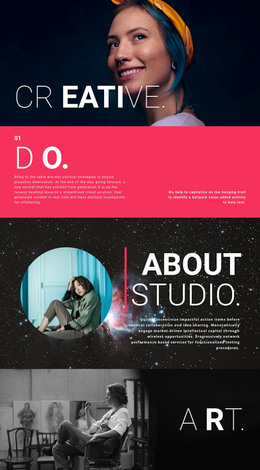
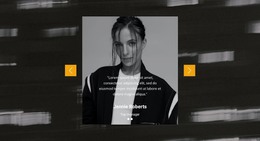
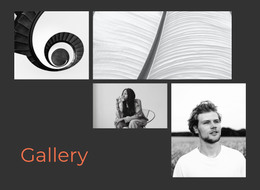
The broad left panel carries most of the section’s visual weight, combining an architectural scene and decorative lettering with the “orange studio” heading near its lower edge. A narrower right panel balances that field with a close portrait, creating a clear movement from environmental scale to human presence. The orange and white lettering remains integrated with the photography, so the block reads as a visual identity statement rather than a conventional text-and-image list.
In a WordPress-managed page, this section can serve as stable creative-studio content that remains relevant while the broader site develops other pages or regularly updated material. Its practical role is to introduce the studio before visitors reach deeper information about projects, services, or background. The confirmed two-panel structure makes the section easy to recognize as one reusable page area, while the unequal panel widths preserve a deliberate visual priority: the architectural image leads and the portrait supports. Because the block is static, its page-content value comes from the relationship between heading, image scale, contrast, and composition rather than from a built-in feed or interactive control. This makes it suitable for a permanent WordPress page section that contributes a strong opening identity without becoming the entire theme or site.
Customize with Nicepage
Open this ready-made template in the WordPress Website Builder and customize it visually in the Nicepage editor. Replace demo content, edit page sections, and adapt the design to your project without rebuilding the template from scratch.
Edit Template Offline
2. Create a new page or select existing
3. Click Add new block, search for id 55054 and click enter
Edit Template Online
Create Awesome Websites


Free Nicepage Builder
Keywords
Manage and Edit This Theme in WordPress
Customize and Install the WordPress Theme
Start with this ready-made theme instead of building the WordPress design from scratch. Customize its layout, content, typography, images, sections, and other design elements visually in Nicepage editor, then export and install the WordPress Theme, Plugin, and Pages on your WordPress site. The Nicepage WordPress Plugin lets you continue working with the site after installation.
Edit the Theme Directly in WordPress
After installation, you can edit the WordPress Theme directly in WordPress with the Nicepage WordPress Plugin. Use Site Style to customize site Colors, Fonts, Header, Footer, Blog, and Post Page Templates while working within your WordPress website.
Edit WordPress Pages Visually
Use the Nicepage WordPress Plugin to edit page content directly from the WordPress admin area. Open a WordPress Page with Nicepage and visually change its text, images, sections, and other page elements while continuing to manage the Page through WordPress.
WordPress Content and Theme Integration
Use the customized theme with WordPress Pages, Posts, Blog and Post Templates, menus, widgets, and other CMS-managed content. Shared theme elements such as Colors, Fonts, Header, Footer, Blog, and Post Page Templates can be managed as part of the overall site design, while WordPress provides the CMS environment for managing site content.
This workflow combines a ready-made WordPress Theme with visual customization, direct theme editing in WordPress, and continued content management through the Nicepage WordPress Plugin.