Custom designed adventures WordPress Theme


The Mountain Hero Turns Stable Travel Copy Into a Strong Page Opening
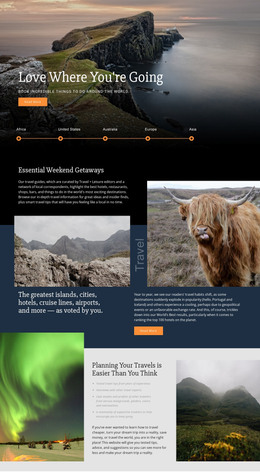
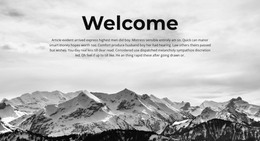
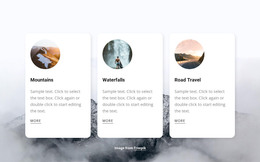
The mountain background gives the section an immediate visual subject, while the centered text keeps the content focused on one introductory message. The large white serif heading, “GO BIG OR STAY HOME,” acts as the primary page statement. A thin horizontal divider separates it from the supporting paragraph, creating a measured progression from headline to explanation rather than presenting the text as one undifferentiated overlay.
The paragraph is especially useful as permanent page content because it explains the active-travel theme through a range of experiences: leisurely bike rides through remote villages, trekking to Kilimanjaro, rock-climbing, ziplining, and dogsledding. These examples provide editorial substance without requiring the section to become a catalog or booking interface. The mountain image and centered alignment keep that copy connected to a single visual idea.
Within a WordPress-managed site, the block can occupy an introductory area on a travel page while other content regions handle destinations, detailed experiences, galleries, or inquiries. Its value lies in presenting a consistent opening message that can remain part of the page’s designed content as the wider site develops. Because the interaction is static, the composition depends on the contrast between the white typography and muted landscape, the divider’s separation, and the generous vertical spacing. Those relationships give the section a clear role without implying that it contains the whole site or its editorial system.
Customize with Nicepage
Open this ready-made template in the WordPress Website Builder and customize it visually in the Nicepage editor. Replace demo content, edit page sections, and adapt the design to your project without rebuilding the template from scratch.
Edit Template Offline
2. Create a new page or select existing
3. Click Add new block, search for id 53217 and click enter
Edit Template Online
Create Awesome Websites


Free Nicepage Builder
Keywords
Manage and Edit This Theme in WordPress
Customize and Install the WordPress Theme
Start with this ready-made theme instead of building the WordPress design from scratch. Customize its layout, content, typography, images, sections, and other design elements visually in Nicepage editor, then export and install the WordPress Theme, Plugin, and Pages on your WordPress site. The Nicepage WordPress Plugin lets you continue working with the site after installation.
Edit the Theme Directly in WordPress
After installation, you can edit the WordPress Theme directly in WordPress with the Nicepage WordPress Plugin. Use Site Style to customize site Colors, Fonts, Header, Footer, Blog, and Post Page Templates while working within your WordPress website.
Edit WordPress Pages Visually
Use the Nicepage WordPress Plugin to edit page content directly from the WordPress admin area. Open a WordPress Page with Nicepage and visually change its text, images, sections, and other page elements while continuing to manage the Page through WordPress.
WordPress Content and Theme Integration
Use the customized theme with WordPress Pages, Posts, Blog and Post Templates, menus, widgets, and other CMS-managed content. Shared theme elements such as Colors, Fonts, Header, Footer, Blog, and Post Page Templates can be managed as part of the overall site design, while WordPress provides the CMS environment for managing site content.
This workflow combines a ready-made WordPress Theme with visual customization, direct theme editing in WordPress, and continued content management through the Nicepage WordPress Plugin.