Find everything you need WordPress Theme


The Offer Message Works as Stable WordPress Page Content
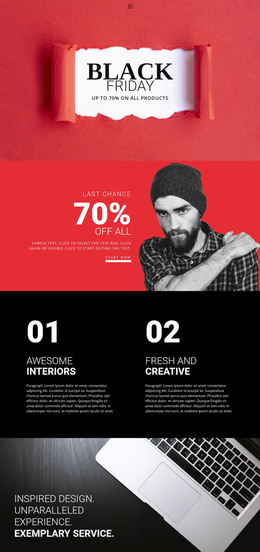
The “Black FRIDAY” heading gives the section a defined campaign identity, while “Up to 70% on all Products” communicates the central promotional message in a compact form. The left side is therefore organized around readable, high-contrast text, with the two-line title taking visual priority. A full-height photograph of a smiling woman in winter clothing and falling snow occupies the right side, adding a seasonal image relationship rather than another text-heavy content group.
For a WordPress-managed project, this block can serve as stable promotional content within a retail page. Its purpose is closer to a lasting campaign section than to an editorial article: the message, offer statement, and image work together as one visual region that can sit among other page content. Product listings, category areas, or purchasing information can surround it in the wider project, while this section remains focused on introducing the seasonal promotion.
The design also gives the content a recognizable presentation pattern. The muted gray background contains the composition, black and white typography separates the title from the surrounding space, and the pale blue offer line provides a lighter accent. Those relationships can remain consistent when the section is reused or adapted for related retail content. The static layout keeps attention on the offer and campaign image, rather than dividing the message across interactive controls.
Customize with Nicepage
Open this ready-made template in the WordPress Website Builder and customize it visually in the Nicepage editor. Replace demo content, edit page sections, and adapt the design to your project without rebuilding the template from scratch.
Edit Template Offline
2. Create a new page or select existing
3. Click Add new block, search for id 52923 and click enter
Edit Template Online
Create Awesome Websites


Free Nicepage Builder
Keywords
Manage and Edit This Theme in WordPress
Customize and Install the WordPress Theme
Start with this ready-made theme instead of building the WordPress design from scratch. Customize its layout, content, typography, images, sections, and other design elements visually in Nicepage editor, then export and install the WordPress Theme, Plugin, and Pages on your WordPress site. The Nicepage WordPress Plugin lets you continue working with the site after installation.
Edit the Theme Directly in WordPress
After installation, you can edit the WordPress Theme directly in WordPress with the Nicepage WordPress Plugin. Use Site Style to customize site Colors, Fonts, Header, Footer, Blog, and Post Page Templates while working within your WordPress website.
Edit WordPress Pages Visually
Use the Nicepage WordPress Plugin to edit page content directly from the WordPress admin area. Open a WordPress Page with Nicepage and visually change its text, images, sections, and other page elements while continuing to manage the Page through WordPress.
WordPress Content and Theme Integration
Use the customized theme with WordPress Pages, Posts, Blog and Post Templates, menus, widgets, and other CMS-managed content. Shared theme elements such as Colors, Fonts, Header, Footer, Blog, and Post Page Templates can be managed as part of the overall site design, while WordPress provides the CMS environment for managing site content.
This workflow combines a ready-made WordPress Theme with visual customization, direct theme editing in WordPress, and continued content management through the Nicepage WordPress Plugin.