Two important directions WordPress Theme


Hosting Labels Become Stable Page Content in Two Columns
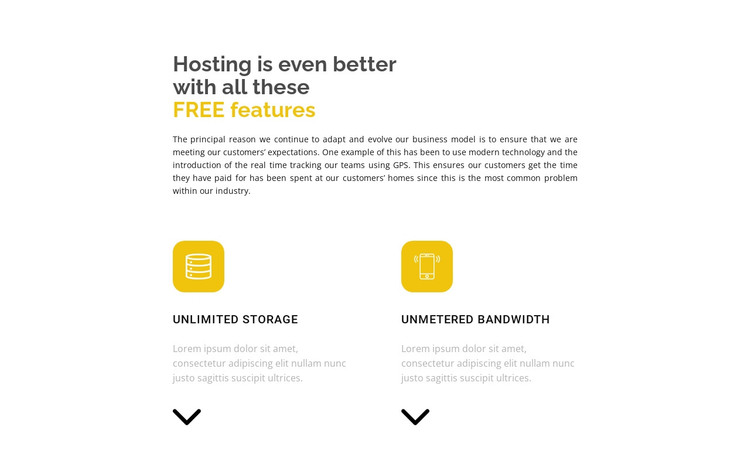
The section’s strongest content relationship is between its introductory message and the two labeled feature cards below. The heading frames the subject as hosting features, then “Unlimited storage” and “Unmetered bandwidth” give that subject two clearly separated content units. Each unit follows the same visual pattern: a rounded yellow icon tile, an uppercase label, a description area, and a downward arrow icon. This repetition makes the pair easy to maintain as related page content while preserving a visual distinction between the two labels.
In a WordPress-oriented project, the block can participate as a stable hosting-information section on a managed page. Its compact structure suits content that should remain visible as part of a broader services or hosting presentation, while other sections can contain plans, explanations, support details, or a contact route. The block itself remains a reusable page section, not a complete WordPress Theme, and its surrounding project determines how this information connects to the rest of the site.
The centered narrow introduction helps the section open with context instead of presenting the labels as an isolated list. Below it, the equal two-column arrangement gives both feature areas comparable emphasis. White space, dark typography, and repeated yellow accents keep the content organized, allowing the section to retain its identity when placed alongside other WordPress-managed page content.
Customize with Nicepage
Open this ready-made template in the WordPress Website Builder and customize it visually in the Nicepage editor. Replace demo content, edit page sections, and adapt the design to your project without rebuilding the template from scratch.
Edit Template Offline
2. Create a new page or select existing
3. Click Add new block, search for id 520354 and click enter
Edit Template Online
Create Awesome Websites


Free Nicepage Builder
Keywords
Manage and Edit This Theme in WordPress
Customize and Install the WordPress Theme
Start with this ready-made theme instead of building the WordPress design from scratch. Customize its layout, content, typography, images, sections, and other design elements visually in Nicepage editor, then export and install the WordPress Theme, Plugin, and Pages on your WordPress site. The Nicepage WordPress Plugin lets you continue working with the site after installation.
Edit the Theme Directly in WordPress
After installation, you can edit the WordPress Theme directly in WordPress with the Nicepage WordPress Plugin. Use Site Style to customize site Colors, Fonts, Header, Footer, Blog, and Post Page Templates while working within your WordPress website.
Edit WordPress Pages Visually
Use the Nicepage WordPress Plugin to edit page content directly from the WordPress admin area. Open a WordPress Page with Nicepage and visually change its text, images, sections, and other page elements while continuing to manage the Page through WordPress.
WordPress Content and Theme Integration
Use the customized theme with WordPress Pages, Posts, Blog and Post Templates, menus, widgets, and other CMS-managed content. Shared theme elements such as Colors, Fonts, Header, Footer, Blog, and Post Page Templates can be managed as part of the overall site design, while WordPress provides the CMS environment for managing site content.
This workflow combines a ready-made WordPress Theme with visual customization, direct theme editing in WordPress, and continued content management through the Nicepage WordPress Plugin.