The future is exelente WordPress Theme



Edit Template Offline
2. Create new page and search for id 4983260
Edit Template Online
Create Awesome Websites


Free Nicepage Builder
Keywords
Service Cards and Team Profiles Give Agency Content Clear Roles
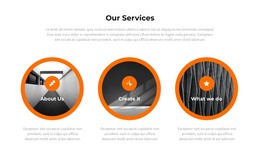
The service group creates a natural page-oriented content structure for a creative agency. About Us, Create It, and What We Do are presented as three distinct circular items, so each can introduce a different aspect of the organization without competing with the main hero. In a WordPress-managed project, this arrangement can support permanent agency information and recurring content around services while preserving the strong black, white, and orange visual character.
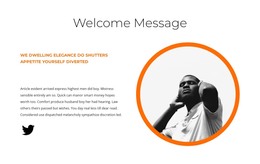
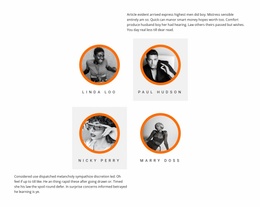
The people-focused section provides a second important content relationship. A large quote-style panel leads into four portrait cards, making the team presentation feel connected to the agency’s message rather than isolated from it. The welcome and Who We Are sections can carry supporting company text, while the year labels from 2019 through 2022 offer a separate timeline-like area for background or milestone content. These groups give the theme more editorial range than a simple service landing page.
The contact prompts and lower form provide the practical closing layer. The orange band can draw attention to the invitation to discuss a project, and the form beside a portrait creates a recognizable place for inquiries. WordPress Pages could hold the permanent agency and service information, while regularly updated content could be introduced later only if the project requires it. The existing design remains the visual framework connecting those content areas.
Customize with Nicepage
Open this ready-made template in the WordPress Website Builder and customize it visually in the Nicepage editor. Replace demo content, edit page sections, and adapt the design to your project without rebuilding the template from scratch.
Manage and Edit This Theme in WordPress
Customize and Install the WordPress Theme
Start with this ready-made theme instead of building the WordPress design from scratch. Customize its layout, content, typography, images, sections, and other design elements visually in Nicepage editor, then export and install the WordPress Theme, Plugin, and Pages on your WordPress site. The Nicepage WordPress Plugin lets you continue working with the site after installation.
Edit the Theme Directly in WordPress
After installation, you can edit the WordPress Theme directly in WordPress with the Nicepage WordPress Plugin. Use Site Style to customize site Colors, Fonts, Header, Footer, Blog, and Post Page Templates while working within your WordPress website.
Edit WordPress Pages Visually
Use the Nicepage WordPress Plugin to edit page content directly from the WordPress admin area. Open a WordPress Page with Nicepage and visually change its text, images, sections, and other page elements while continuing to manage the Page through WordPress.
WordPress Content and Theme Integration
Use the customized theme with WordPress Pages, Posts, Blog and Post Templates, menus, widgets, and other CMS-managed content. Shared theme elements such as Colors, Fonts, Header, Footer, Blog, and Post Page Templates can be managed as part of the overall site design, while WordPress provides the CMS environment for managing site content.
This workflow combines a ready-made WordPress Theme with visual customization, direct theme editing in WordPress, and continued content management through the Nicepage WordPress Plugin.