Design studio people WordPress Theme


Edit Template Offline
2. Create new page and search for id 4411765
Edit Template Online
Create Awesome Websites


Free Nicepage Builder
Keywords
Profile Groups Create Reusable WordPress Content Areas
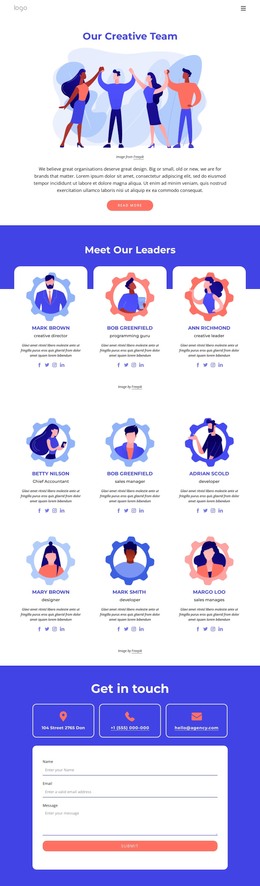
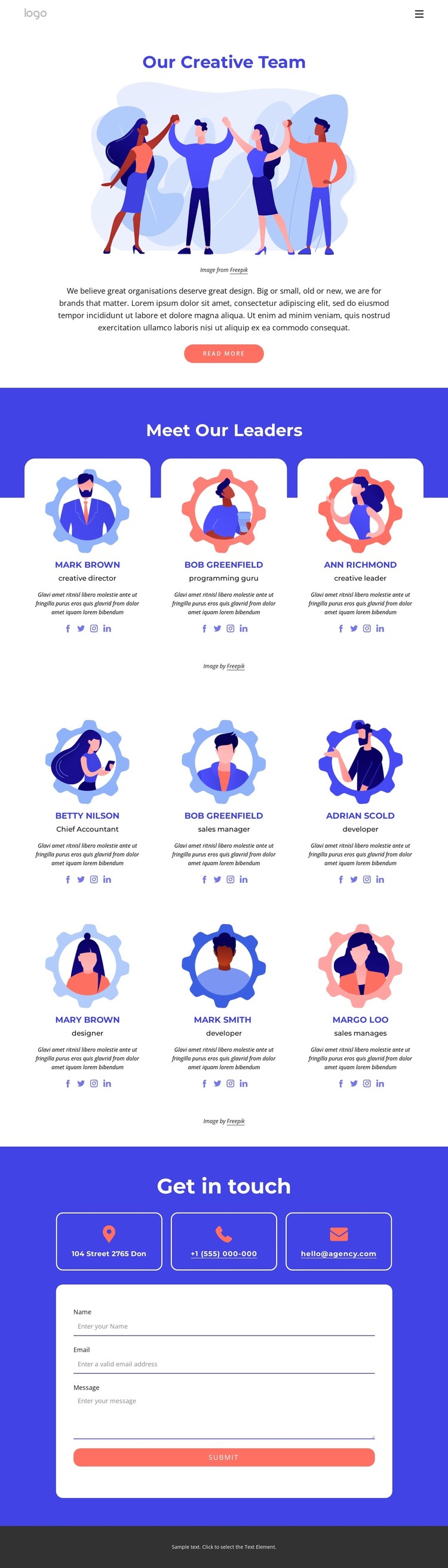
The separation between the three leadership cards and the six-card team directory gives this design more than a single undifferentiated staff list. It creates two useful content areas: one for highlighting leadership and another for presenting the wider team. Each profile combines an illustrated portrait, a role label, descriptive text, and social links, producing a repeatable visual pattern that can accommodate updated people-focused content without changing the page’s central arrangement.
The opening and closing sections give those profiles a clear site context. “Our Creative Team” introduces the design-focused subject with centered copy, an illustration, and a read-more button. At the other end, three contact-detail cards organize address, phone, and email information before the inquiry form collects a name, email address, and message. This places a direct communication area after visitors have encountered the people and roles presented on the page.
For a WordPress-managed project, the page can therefore serve as a visual framework for permanent team information and other page content that may be expanded over time. The sample names, roles, addresses, and descriptions are structural placeholders rather than verified business facts, so they should be replaced during content editing. The blue-and-white palette, coral accents, rounded cards, centered typography, and illustrated imagery preserve a recognizable theme direction as that content changes.
Customize with Nicepage
Open this ready-made template in the WordPress Website Builder and customize it visually in the Nicepage editor. Replace demo content, edit page sections, and adapt the design to your project without rebuilding the template from scratch.
Manage and Edit This Theme in WordPress
Customize and Install the WordPress Theme
Start with this ready-made theme instead of building the WordPress design from scratch. Customize its layout, content, typography, images, sections, and other design elements visually in Nicepage editor, then export and install the WordPress Theme, Plugin, and Pages on your WordPress site. The Nicepage WordPress Plugin lets you continue working with the site after installation.
Edit the Theme Directly in WordPress
After installation, you can edit the WordPress Theme directly in WordPress with the Nicepage WordPress Plugin. Use Site Style to customize site Colors, Fonts, Header, Footer, Blog, and Post Page Templates while working within your WordPress website.
Edit WordPress Pages Visually
Use the Nicepage WordPress Plugin to edit page content directly from the WordPress admin area. Open a WordPress Page with Nicepage and visually change its text, images, sections, and other page elements while continuing to manage the Page through WordPress.
WordPress Content and Theme Integration
Use the customized theme with WordPress Pages, Posts, Blog and Post Templates, menus, widgets, and other CMS-managed content. Shared theme elements such as Colors, Fonts, Header, Footer, Blog, and Post Page Templates can be managed as part of the overall site design, while WordPress provides the CMS environment for managing site content.
This workflow combines a ready-made WordPress Theme with visual customization, direct theme editing in WordPress, and continued content management through the Nicepage WordPress Plugin.