Pricing table for proposal page WordPress Theme


Aligned plan content fits a publishable pricing section
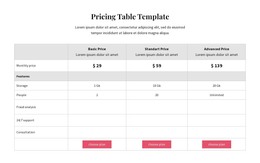
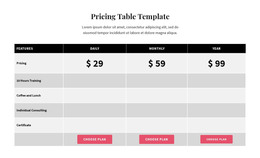
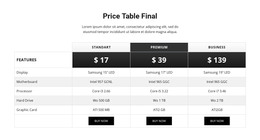
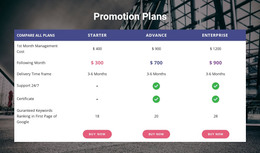
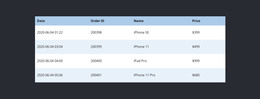
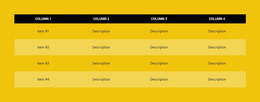
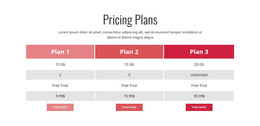
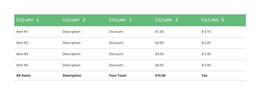
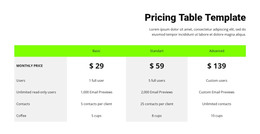
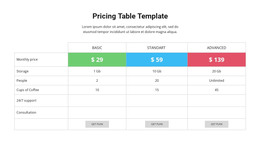
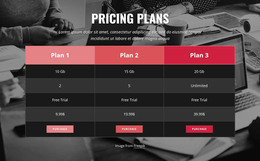
The heading and supporting paragraph read as stable page content, while the table provides a durable structure for presenting three insurance tiers. Basic, Standart, and Premium each occupy a dedicated column beside the shared row labels. Visitors can compare displayed prices, coverage details, deductibles, and key benefits without leaving the section or interpreting separate layouts for each option.
The content model suits a WordPress-managed page where a pricing area needs to remain visually consistent with surrounding proposal material. The blue-gray header distinguishes the plan names, the pale price row makes the cost comparison easy to find, and the white detail rows give longer coverage and benefit text a quieter background. Compact typography and generous whitespace help the table remain readable as part of the page’s broader content flow.
A WordPress Theme context changes how the section participates in the wider site, not what this block contains. The block remains one publishable pricing region that can sit alongside introductory, explanatory, or contact content. It does not need to carry site navigation or other theme-wide functions. Its contribution is a clear, reusable presentation of tiered information, with the surrounding CMS-managed page providing the larger publishing environment and any separate response action.
Customize with Nicepage
Open this ready-made template in the WordPress Website Builder and customize it visually in the Nicepage editor. Replace demo content, edit page sections, and adapt the design to your project without rebuilding the template from scratch.
Edit Template Offline
2. Create a new page or select existing
3. Click Add new block, search for id 6499619 and click enter
Edit Template Online
Create Awesome Websites


Free Nicepage Builder
Keywords
Manage and Edit This Theme in WordPress
Customize and Install the WordPress Theme
Start with this ready-made theme instead of building the WordPress design from scratch. Customize its layout, content, typography, images, sections, and other design elements visually in Nicepage editor, then export and install the WordPress Theme, Plugin, and Pages on your WordPress site. The Nicepage WordPress Plugin lets you continue working with the site after installation.
Edit the Theme Directly in WordPress
After installation, you can edit the WordPress Theme directly in WordPress with the Nicepage WordPress Plugin. Use Site Style to customize site Colors, Fonts, Header, Footer, Blog, and Post Page Templates while working within your WordPress website.
Edit WordPress Pages Visually
Use the Nicepage WordPress Plugin to edit page content directly from the WordPress admin area. Open a WordPress Page with Nicepage and visually change its text, images, sections, and other page elements while continuing to manage the Page through WordPress.
WordPress Content and Theme Integration
Use the customized theme with WordPress Pages, Posts, Blog and Post Templates, menus, widgets, and other CMS-managed content. Shared theme elements such as Colors, Fonts, Header, Footer, Blog, and Post Page Templates can be managed as part of the overall site design, while WordPress provides the CMS environment for managing site content.
This workflow combines a ready-made WordPress Theme with visual customization, direct theme editing in WordPress, and continued content management through the Nicepage WordPress Plugin.