Interior studio contact page WordPress Theme


Edit Template Offline
2. Create new page and search for id 4281145
Edit Template Online
Create Awesome Websites


Free Nicepage Builder
Keywords
Page Content and Subscription Areas Share One Theme
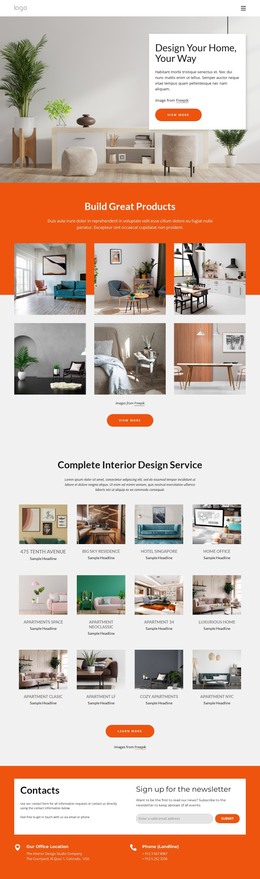
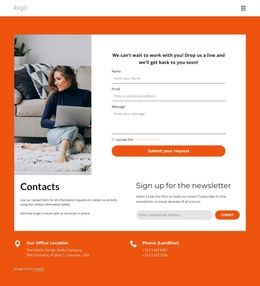
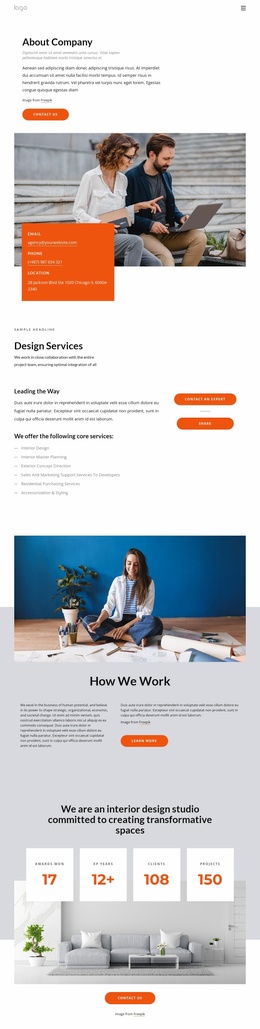
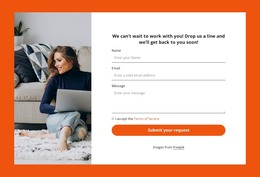
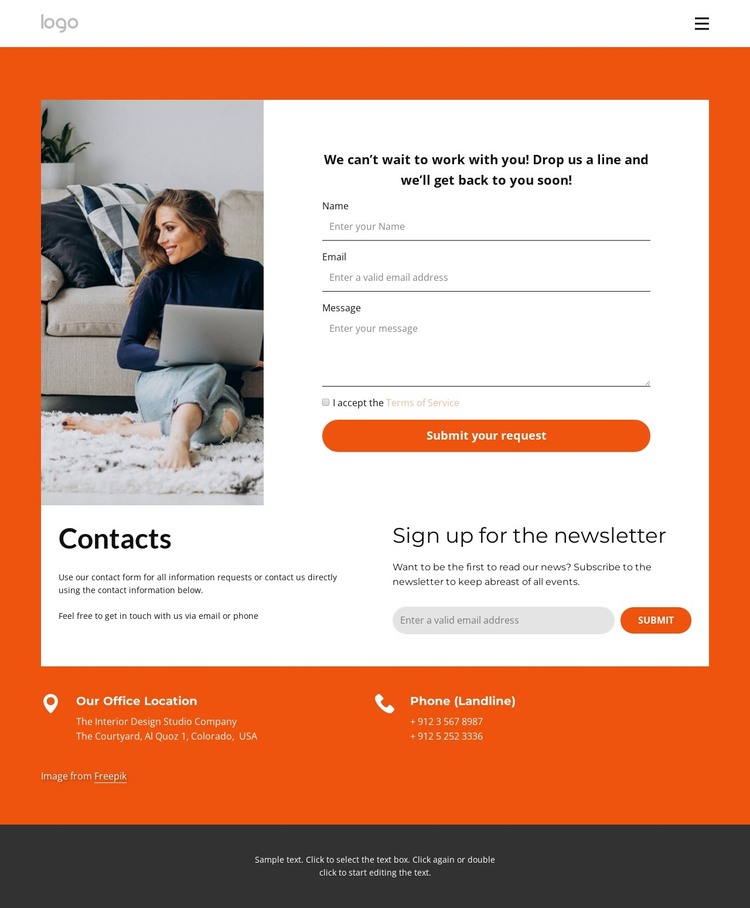
The page-oriented content is divided into roles that can remain distinct within a WordPress-managed site. The main inquiry section combines an interior photograph with a white form panel, guiding visitors from visual context to a message, Terms of Service agreement, and “Submit your request” action. The separate newsletter area has a different publishing purpose: its heading and Submit button support ongoing communication rather than a single request. Keeping these roles visually separate helps the content remain understandable as text, images, and contact details are maintained over time.
The navigation row provides the surrounding page context with links to Home, Landing, Projects, Our Team, About Us, and Contact Us. That makes the design suitable for a theme interpretation centered on permanent page content and reusable site regions, without claiming that blog posts or other WordPress-specific items already exist in the template. The office-location and landline labels offer structured contact information, while the dark footer supplies a shared-looking closing area with editable text. The warm orange and white palette, contrasted by dark gray, can connect these page areas to future content while preserving the contact page’s identity. In this way, the design supports WordPress content that combines permanent site information, inquiry handling, and subscription messaging within one coordinated visual framework.
Customize with Nicepage
Open this ready-made template in the WordPress Website Builder and customize it visually in the Nicepage editor. Replace demo content, edit page sections, and adapt the design to your project without rebuilding the template from scratch.
Manage and Edit This Theme in WordPress
Customize and Install the WordPress Theme
Start with this ready-made theme instead of building the WordPress design from scratch. Customize its layout, content, typography, images, sections, and other design elements visually in Nicepage editor, then export and install the WordPress Theme, Plugin, and Pages on your WordPress site. The Nicepage WordPress Plugin lets you continue working with the site after installation.
Edit the Theme Directly in WordPress
After installation, you can edit the WordPress Theme directly in WordPress with the Nicepage WordPress Plugin. Use Site Style to customize site Colors, Fonts, Header, Footer, Blog, and Post Page Templates while working within your WordPress website.
Edit WordPress Pages Visually
Use the Nicepage WordPress Plugin to edit page content directly from the WordPress admin area. Open a WordPress Page with Nicepage and visually change its text, images, sections, and other page elements while continuing to manage the Page through WordPress.
WordPress Content and Theme Integration
Use the customized theme with WordPress Pages, Posts, Blog and Post Templates, menus, widgets, and other CMS-managed content. Shared theme elements such as Colors, Fonts, Header, Footer, Blog, and Post Page Templates can be managed as part of the overall site design, while WordPress provides the CMS environment for managing site content.
This workflow combines a ready-made WordPress Theme with visual customization, direct theme editing in WordPress, and continued content management through the Nicepage WordPress Plugin.