Explore the Product WordPress Theme



Edit Template Offline
2. Create new page and search for id 4242958
Edit Template Online
Create Awesome Websites


Free Nicepage Builder
Keywords
Service Categories and Commercial Content Suit WordPress Page Areas
The six service cards create clear permanent content areas for a WordPress-oriented site structure. SEO, Development, Web design, CMS, Maintenance, and Hosting are presented as separate categories under “Why you need digital marketing,” making them suitable subjects for page content that needs to remain easy to identify and update. The About Us introduction and the five brand marks add organization-level context before visitors reach those service areas.
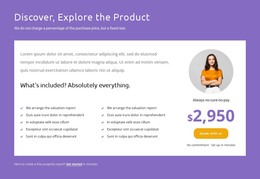
The product and property report section provides a different kind of page content. Its description, included benefits, highlighted offer card, and Speak with us and Get started actions can be treated as a focused offer area, while the Ticket Pricing section groups Basic, Standart, and Premium packages into a separate comparison context. These relationships matter because they distinguish explanatory content from purchasable or inquiry-oriented content rather than reducing the design to a single generic homepage block.
The four metric cards and adjacent portrait contribute supporting campaign or audience information, while the closing Got New Project? panel provides a recognizable contact destination with phone details and a Get Started button. In a WordPress project, these areas can remain part of one visual theme while page content is organized according to the site’s publishing needs. The design does not prove that WordPress Posts, categories, or other CMS structures already exist; it supplies a set of page-oriented content regions that can be mapped to them when the project requires.
Customize with Nicepage
Open this ready-made template in the WordPress Website Builder and customize it visually in the Nicepage editor. Replace demo content, edit page sections, and adapt the design to your project without rebuilding the template from scratch.
Manage and Edit This Theme in WordPress
Customize and Install the WordPress Theme
Start with this ready-made theme instead of building the WordPress design from scratch. Customize its layout, content, typography, images, sections, and other design elements visually in Nicepage editor, then export and install the WordPress Theme, Plugin, and Pages on your WordPress site. The Nicepage WordPress Plugin lets you continue working with the site after installation.
Edit the Theme Directly in WordPress
After installation, you can edit the WordPress Theme directly in WordPress with the Nicepage WordPress Plugin. Use Site Style to customize site Colors, Fonts, Header, Footer, Blog, and Post Page Templates while working within your WordPress website.
Edit WordPress Pages Visually
Use the Nicepage WordPress Plugin to edit page content directly from the WordPress admin area. Open a WordPress Page with Nicepage and visually change its text, images, sections, and other page elements while continuing to manage the Page through WordPress.
WordPress Content and Theme Integration
Use the customized theme with WordPress Pages, Posts, Blog and Post Templates, menus, widgets, and other CMS-managed content. Shared theme elements such as Colors, Fonts, Header, Footer, Blog, and Post Page Templates can be managed as part of the overall site design, while WordPress provides the CMS environment for managing site content.
This workflow combines a ready-made WordPress Theme with visual customization, direct theme editing in WordPress, and continued content management through the Nicepage WordPress Plugin.