We design brand & digital experience WordPress Theme


Two feature cards organize stable WordPress page content
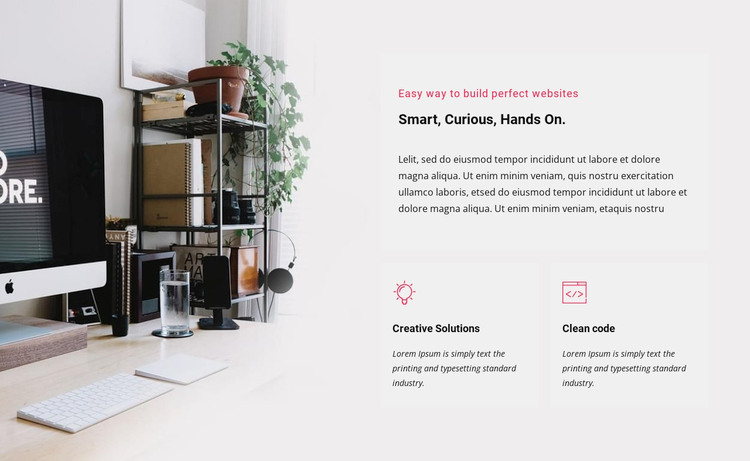
The left-side office photograph supplies the block’s visual context, while the right column turns the section into a concise features statement. The small introductory label and “Smart, Curious, Hands On.” heading establish the theme before the supporting paragraph leads into two related cards. “Creative Solutions” and “Clean code” appear in a side-by-side row, and their matching pink line-style icons give the pair a shared visual signal without adding interaction.
Within a WordPress-managed project, this structure can work as stable content on a services, capabilities, or company-information page. The heading and two feature descriptions read as durable page material rather than a time-sensitive feed, so the section can retain its visual arrangement while other parts of the site handle navigation, editorial updates, or deeper content. The block remains one contained region, not a complete WordPress Theme.
The image-to-text relationship also gives the section a clear publishing role. The photograph creates an immediate visual entry point, while the right panel keeps the explanatory content scannable and the two offerings easy to compare. That balance makes the block suitable for a WordPress page where a reusable content area needs to communicate both atmosphere and specific capabilities. Its static layout preserves the intended relationship between the image, heading, paragraph, and feature cards as the surrounding project develops.
Customize with Nicepage
Open this ready-made template in the WordPress Website Builder and customize it visually in the Nicepage editor. Replace demo content, edit page sections, and adapt the design to your project without rebuilding the template from scratch.
Edit Template Offline
2. Create a new page or select existing
3. Click Add new block, search for id 41752 and click enter
Edit Template Online
Create Awesome Websites


Free Nicepage Builder
Keywords
Manage and Edit This Theme in WordPress
Customize and Install the WordPress Theme
Start with this ready-made theme instead of building the WordPress design from scratch. Customize its layout, content, typography, images, sections, and other design elements visually in Nicepage editor, then export and install the WordPress Theme, Plugin, and Pages on your WordPress site. The Nicepage WordPress Plugin lets you continue working with the site after installation.
Edit the Theme Directly in WordPress
After installation, you can edit the WordPress Theme directly in WordPress with the Nicepage WordPress Plugin. Use Site Style to customize site Colors, Fonts, Header, Footer, Blog, and Post Page Templates while working within your WordPress website.
Edit WordPress Pages Visually
Use the Nicepage WordPress Plugin to edit page content directly from the WordPress admin area. Open a WordPress Page with Nicepage and visually change its text, images, sections, and other page elements while continuing to manage the Page through WordPress.
WordPress Content and Theme Integration
Use the customized theme with WordPress Pages, Posts, Blog and Post Templates, menus, widgets, and other CMS-managed content. Shared theme elements such as Colors, Fonts, Header, Footer, Blog, and Post Page Templates can be managed as part of the overall site design, while WordPress provides the CMS environment for managing site content.
This workflow combines a ready-made WordPress Theme with visual customization, direct theme editing in WordPress, and continued content management through the Nicepage WordPress Plugin.