
Travel and photography WordPress Theme


Edit Template Offline
2. Create new page and search for id 39714
Edit Template Online
Create Awesome Websites


Free Nicepage Builder
Keywords
Page Content and Repeated Visual Sections Support a WordPress Theme
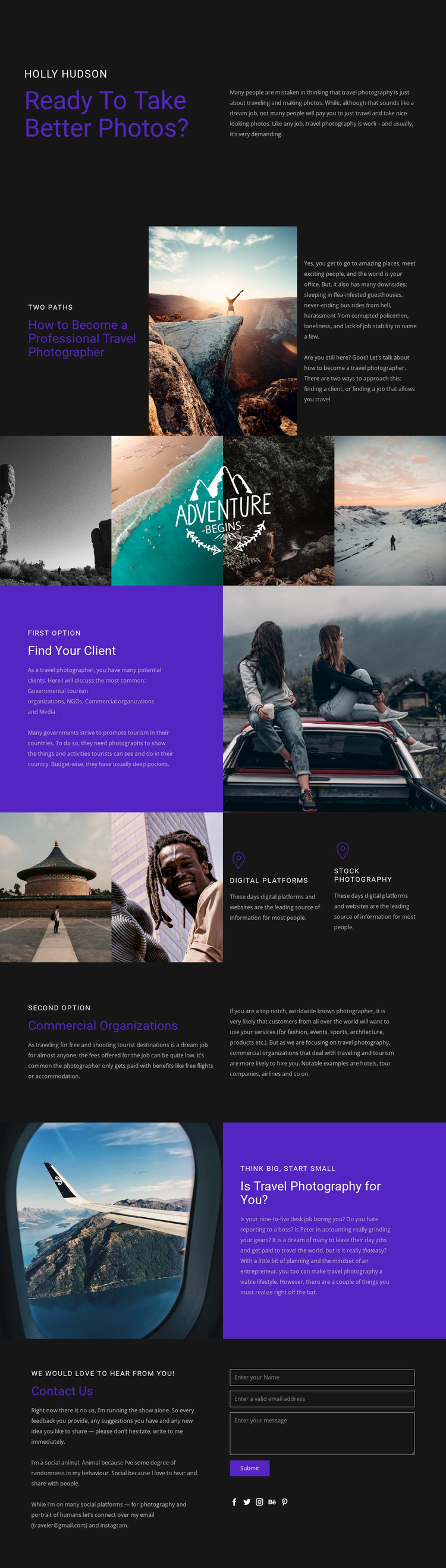
The design provides clear permanent page content for a WordPress-oriented project. The opening introduction establishes the travel photography subject, and the “Two Paths” section gives the page a durable explanatory framework. The following sections can hold guidance about finding clients, digital platforms, stock photography, and commercial organizations without relying on a single temporary campaign message. This makes the layout suitable for content that may be revised as advice, examples, or professional information develops.
Repeated imagery gives the content a second organizing layer. Travel photographs appear beside the career explanations and in a four-image gallery, while the compact feature panels summarize two photography avenues. These areas could remain part of the same theme character as related page content, provided that new material follows the established contrast, spacing, and image treatment. The final self-assessment section adds a reader-oriented conclusion before the contact block, which contains a form, email address, and social links for communication.
The page does not need to be treated as an existing blog or post structure to benefit from WordPress interpretation. Its verified permanent sections are enough to map the design to page-oriented content, while future editorial material could be added only if the project requires it. The Nicepage WordPress Plugin is an optional product bridge for working with WordPress content, but the template’s main value lies in how its guidance, visual evidence, audience categories, and contact response already fit one coherent theme presentation.
Customize with Nicepage
Open this ready-made template in the WordPress Website Builder and customize it visually in the Nicepage editor. Replace demo content, edit page sections, and adapt the design to your project without rebuilding the template from scratch.
Manage and Edit This Theme in WordPress
Customize and Install the WordPress Theme
Start with this ready-made theme instead of building the WordPress design from scratch. Customize its layout, content, typography, images, sections, and other design elements visually in Nicepage editor, then export and install the WordPress Theme, Plugin, and Pages on your WordPress site. The Nicepage WordPress Plugin lets you continue working with the site after installation.
Edit the Theme Directly in WordPress
After installation, you can edit the WordPress Theme directly in WordPress with the Nicepage WordPress Plugin. Use Site Style to customize site Colors, Fonts, Header, Footer, Blog, and Post Page Templates while working within your WordPress website.
Edit WordPress Pages Visually
Use the Nicepage WordPress Plugin to edit page content directly from the WordPress admin area. Open a WordPress Page with Nicepage and visually change its text, images, sections, and other page elements while continuing to manage the Page through WordPress.
WordPress Content and Theme Integration
Use the customized theme with WordPress Pages, Posts, Blog and Post Templates, menus, widgets, and other CMS-managed content. Shared theme elements such as Colors, Fonts, Header, Footer, Blog, and Post Page Templates can be managed as part of the overall site design, while WordPress provides the CMS environment for managing site content.
This workflow combines a ready-made WordPress Theme with visual customization, direct theme editing in WordPress, and continued content management through the Nicepage WordPress Plugin.





















