New approach WordPress Theme



Edit Template Offline
2. Create new page and search for id 3124348
Edit Template Online
Create Awesome Websites


Free Nicepage Builder
Keywords
Service, Team, and Plan Content in One Visual System
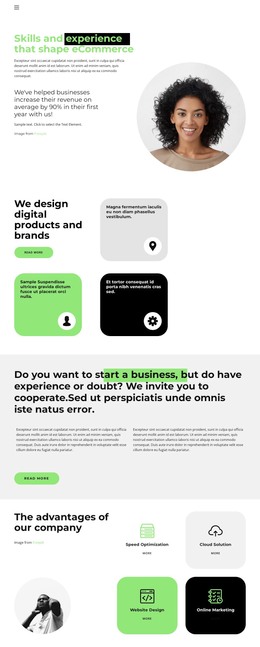
The named service cards provide a strong starting point for WordPress-managed page content because each capability has a distinct place within the agency presentation. Speed Optimization, Cloud Solution, Website Design, and Online Marketing can remain separate informational subjects, while the opening eCommerce statement and the digital products and brands section establish the context around them. The three rounded feature tiles support that introduction without competing with the more explicit service cards.
The five team profiles create a second type of recurring content: people, roles, and portraits presented in a consistent horizontal group. The founder branding agency section adds a more personal company narrative through its green identity panel, portrait, and supporting text. Together, these areas give a WordPress project both page-oriented information and repeatable content relationships, while the seven monochrome logo marks can function as a compact visual proof section. The sample names and logos indicate structure, not verified company history or client relationships.
Two monthly pricing plans shift the page from explanation toward selection, with get plan actions attached to the commercial content. The office-location and landline cards then provide a practical closing area for business details. WordPress navigation and shared theme regions can connect these service, team, pricing, and contact areas while preserving the template’s rounded cards, circular imagery, generous spacing, and dark footer character.
Customize with Nicepage
Open this ready-made template in the WordPress Website Builder and customize it visually in the Nicepage editor. Replace demo content, edit page sections, and adapt the design to your project without rebuilding the template from scratch.
Manage and Edit This Theme in WordPress
Customize and Install the WordPress Theme
Start with this ready-made theme instead of building the WordPress design from scratch. Customize its layout, content, typography, images, sections, and other design elements visually in Nicepage editor, then export and install the WordPress Theme, Plugin, and Pages on your WordPress site. The Nicepage WordPress Plugin lets you continue working with the site after installation.
Edit the Theme Directly in WordPress
After installation, you can edit the WordPress Theme directly in WordPress with the Nicepage WordPress Plugin. Use Site Style to customize site Colors, Fonts, Header, Footer, Blog, and Post Page Templates while working within your WordPress website.
Edit WordPress Pages Visually
Use the Nicepage WordPress Plugin to edit page content directly from the WordPress admin area. Open a WordPress Page with Nicepage and visually change its text, images, sections, and other page elements while continuing to manage the Page through WordPress.
WordPress Content and Theme Integration
Use the customized theme with WordPress Pages, Posts, Blog and Post Templates, menus, widgets, and other CMS-managed content. Shared theme elements such as Colors, Fonts, Header, Footer, Blog, and Post Page Templates can be managed as part of the overall site design, while WordPress provides the CMS environment for managing site content.
This workflow combines a ready-made WordPress Theme with visual customization, direct theme editing in WordPress, and continued content management through the Nicepage WordPress Plugin.