Testimonials with image in slider WordPress Theme


Stable Testimonial Content Fits a WordPress-Managed Page Section
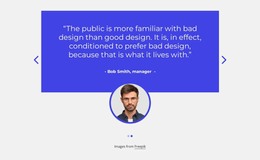
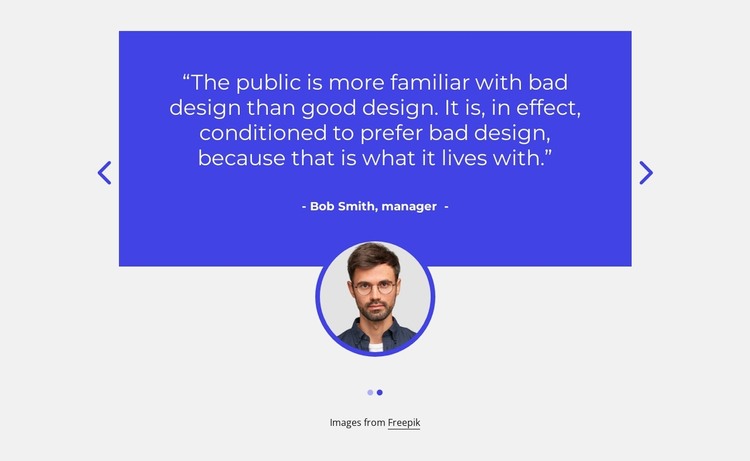
The quotation, attribution, portrait, and carousel controls create a stable content pattern that can sit within a WordPress-managed page. Rather than functioning as a changing editorial feed, the block reads as durable testimonial content: two prepared statements are presented through the same centered layout, with navigation allowing visitors to move between them. The vivid blue panel emphasizes the proof area, while the circular portrait overlapping its lower edge gives each slide a consistent human reference.
The visible Bob Smith, manager attribution is one example of the content displayed in the section. Its structural role is to identify the speaker beneath the quotation, not to establish an independently confirmed endorsement. The second slide follows the same relationship, so the block can retain a coherent appearance while its content is maintained as part of a wider page.
In a WordPress-oriented project, this section can support a services, portfolio, or company-information page while other CMS-managed content surrounds it. The broader site remains responsible for page structure and publishing context. If direct visual editing in WordPress is relevant, the WordPress Theme editing workflow provides product context for wider theme styling; it does not change this block’s identity as one testimonial section.
Customize with Nicepage
Open this ready-made template in the WordPress Website Builder and customize it visually in the Nicepage editor. Replace demo content, edit page sections, and adapt the design to your project without rebuilding the template from scratch.
Edit Template Offline
2. Create a new page or select existing
3. Click Add new block, search for id 3114393 and click enter
Edit Template Online
Create Awesome Websites


Free Nicepage Builder
Keywords
Manage and Edit This Theme in WordPress
Customize and Install the WordPress Theme
Start with this ready-made theme instead of building the WordPress design from scratch. Customize its layout, content, typography, images, sections, and other design elements visually in Nicepage editor, then export and install the WordPress Theme, Plugin, and Pages on your WordPress site. The Nicepage WordPress Plugin lets you continue working with the site after installation.
Edit the Theme Directly in WordPress
After installation, you can edit the WordPress Theme directly in WordPress with the Nicepage WordPress Plugin. Use Site Style to customize site Colors, Fonts, Header, Footer, Blog, and Post Page Templates while working within your WordPress website.
Edit WordPress Pages Visually
Use the Nicepage WordPress Plugin to edit page content directly from the WordPress admin area. Open a WordPress Page with Nicepage and visually change its text, images, sections, and other page elements while continuing to manage the Page through WordPress.
WordPress Content and Theme Integration
Use the customized theme with WordPress Pages, Posts, Blog and Post Templates, menus, widgets, and other CMS-managed content. Shared theme elements such as Colors, Fonts, Header, Footer, Blog, and Post Page Templates can be managed as part of the overall site design, while WordPress provides the CMS environment for managing site content.
This workflow combines a ready-made WordPress Theme with visual customization, direct theme editing in WordPress, and continued content management through the Nicepage WordPress Plugin.