We provide training workshops WordPress Theme


A Stable Training Introduction for WordPress Page Content
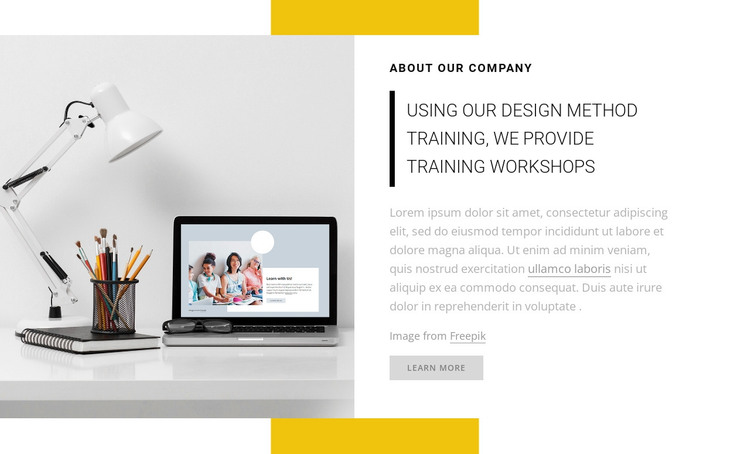
The heading, training statement, and descriptive paragraph make this block read as permanent company information rather than a time-sensitive update. The large workspace image adds a visual entry point on the left, while the right-side white panel keeps the organization’s introduction and training focus together. This makes the section suitable for a WordPress-managed page where company or workshop information needs to remain easy to find and visually consistent.
The content relationship is deliberately compact. “about our company” establishes the subject, the statement about design-method training explains the offering, and the paragraph can carry supporting detail before the visitor reaches the single Learn More action. The image attribution line stays subordinate to that sequence. Yellow rectangular bars above and below the split composition, plus the thick black accent border, provide recognizable styling cues that can help this section sit consistently beside other page content without requiring additional interaction.
Within a broader WordPress project, the block can serve as a reusable company, about, or training-information region on a stable page. Other content areas may provide deeper workshop details, related information, or additional actions, while this section preserves the concise image-and-message presentation. Its value lies in giving one publishable content area a clear subject, visual anchor, and measured next step rather than attempting to carry the whole site structure.
Customize with Nicepage
Open this ready-made template in the WordPress Website Builder and customize it visually in the Nicepage editor. Replace demo content, edit page sections, and adapt the design to your project without rebuilding the template from scratch.
Edit Template Offline
2. Create a new page or select existing
3. Click Add new block, search for id 240873 and click enter
Edit Template Online
Create Awesome Websites


Free Nicepage Builder
Keywords
Manage and Edit This Theme in WordPress
Customize and Install the WordPress Theme
Start with this ready-made theme instead of building the WordPress design from scratch. Customize its layout, content, typography, images, sections, and other design elements visually in Nicepage editor, then export and install the WordPress Theme, Plugin, and Pages on your WordPress site. The Nicepage WordPress Plugin lets you continue working with the site after installation.
Edit the Theme Directly in WordPress
After installation, you can edit the WordPress Theme directly in WordPress with the Nicepage WordPress Plugin. Use Site Style to customize site Colors, Fonts, Header, Footer, Blog, and Post Page Templates while working within your WordPress website.
Edit WordPress Pages Visually
Use the Nicepage WordPress Plugin to edit page content directly from the WordPress admin area. Open a WordPress Page with Nicepage and visually change its text, images, sections, and other page elements while continuing to manage the Page through WordPress.
WordPress Content and Theme Integration
Use the customized theme with WordPress Pages, Posts, Blog and Post Templates, menus, widgets, and other CMS-managed content. Shared theme elements such as Colors, Fonts, Header, Footer, Blog, and Post Page Templates can be managed as part of the overall site design, while WordPress provides the CMS environment for managing site content.
This workflow combines a ready-made WordPress Theme with visual customization, direct theme editing in WordPress, and continued content management through the Nicepage WordPress Plugin.