Well organised small group tours WordPress Theme


Three Travel Categories Create Stable WordPress Page Content
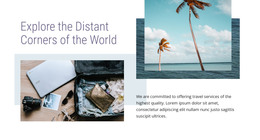
The block turns three related travel categories into a consistent page-content pattern. Travel With Us, Group Tours, and Road Trips each occupy a matching card with an image, centered heading, descriptive paragraph, and learn more link. This makes the section suitable for a WordPress-managed page where the travel offerings need to remain visually distinct but still read as part of one service area.
The wide travel photograph gives the section a shared opening visual, while the three columns move from general atmosphere to separate category choices. A visitor can scan the card titles first, then use the supporting descriptions and links to identify which offering deserves further attention. The arrangement works particularly well for a mid-page services or tour-category role, with other page content able to provide introductions, destination detail, booking information, or contact options around it.
The visual treatment supports stable presentation: white image borders and content areas, centered serif-like headings, compact gray text, and understated underlined actions create a repeatable pattern across all three cards. In a WordPress-oriented project, this block can function as a durable visual section within a broader page while surrounding content continues to evolve independently. The sample text can be replaced with final editorial copy without changing the underlying relationship between the image, category label, description, and learn more destination.
Customize with Nicepage
Open this ready-made template in the WordPress Website Builder and customize it visually in the Nicepage editor. Replace demo content, edit page sections, and adapt the design to your project without rebuilding the template from scratch.
Edit Template Offline
2. Create a new page or select existing
3. Click Add new block, search for id 218976 and click enter
Edit Template Online
Create Awesome Websites


Free Nicepage Builder
Keywords
Manage and Edit This Theme in WordPress
Customize and Install the WordPress Theme
Start with this ready-made theme instead of building the WordPress design from scratch. Customize its layout, content, typography, images, sections, and other design elements visually in Nicepage editor, then export and install the WordPress Theme, Plugin, and Pages on your WordPress site. The Nicepage WordPress Plugin lets you continue working with the site after installation.
Edit the Theme Directly in WordPress
After installation, you can edit the WordPress Theme directly in WordPress with the Nicepage WordPress Plugin. Use Site Style to customize site Colors, Fonts, Header, Footer, Blog, and Post Page Templates while working within your WordPress website.
Edit WordPress Pages Visually
Use the Nicepage WordPress Plugin to edit page content directly from the WordPress admin area. Open a WordPress Page with Nicepage and visually change its text, images, sections, and other page elements while continuing to manage the Page through WordPress.
WordPress Content and Theme Integration
Use the customized theme with WordPress Pages, Posts, Blog and Post Templates, menus, widgets, and other CMS-managed content. Shared theme elements such as Colors, Fonts, Header, Footer, Blog, and Post Page Templates can be managed as part of the overall site design, while WordPress provides the CMS environment for managing site content.
This workflow combines a ready-made WordPress Theme with visual customization, direct theme editing in WordPress, and continued content management through the Nicepage WordPress Plugin.