
Reach your goals simply WordPress Theme


Who We Are and What We Do in One Page Section
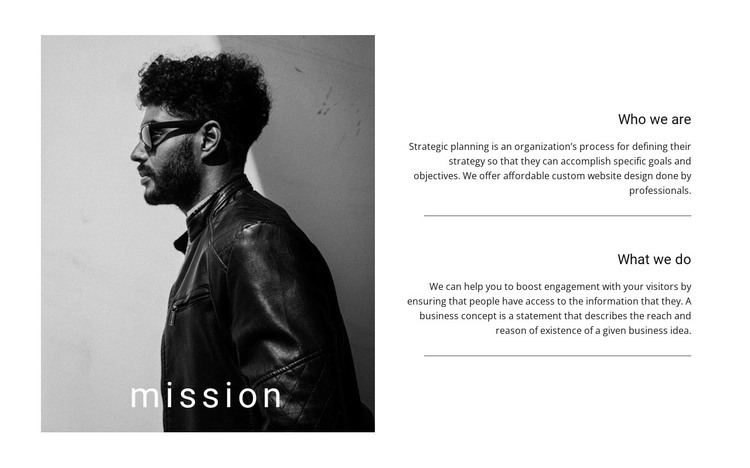
The portrait establishes a visual introduction, but the block’s main informational structure comes from the two headings on the right: “Who we are” and “What we do.” Each heading leads into explanatory copy, and the horizontal dividers prevent the identity statement from blending into the description of activities. Together, these relationships make the section read as permanent organizational page content rather than a stream of short promotional items.
For a WordPress-managed project, the block can occupy a stable about or mission area on a page while the wider site manages other content around it. The sample wording refers to strategic planning and custom website design, including an explanation of how an organization works and what it offers. Those details give the section a business-oriented example without requiring the block to carry a complete service catalogue or broader site structure.
The split layout also supports a clear publishing role: the portrait can preserve the organization’s human emphasis, while the text column remains easy to update as the mission or activities evolve. Its restrained black, white, and gray palette provides a consistent visual base for page content. In a WordPress-oriented context, this makes the section suitable for a reusable content area within a broader theme-managed site, not a standalone WordPress theme.
Customize with Nicepage
Open this ready-made template in the WordPress Website Builder and customize it visually in the Nicepage editor. Replace demo content, edit page sections, and adapt the design to your project without rebuilding the template from scratch.
Edit Template Offline
2. Create a new page or select existing
3. Click Add new block, search for id 210583 and click enter
Edit Template Online
Create Awesome Websites


Free Nicepage Builder
Keywords
Manage and Edit This Theme in WordPress
Customize and Install the WordPress Theme
Start with this ready-made theme instead of building the WordPress design from scratch. Customize its layout, content, typography, images, sections, and other design elements visually in Nicepage editor, then export and install the WordPress Theme, Plugin, and Pages on your WordPress site. The Nicepage WordPress Plugin lets you continue working with the site after installation.
Edit the Theme Directly in WordPress
After installation, you can edit the WordPress Theme directly in WordPress with the Nicepage WordPress Plugin. Use Site Style to customize site Colors, Fonts, Header, Footer, Blog, and Post Page Templates while working within your WordPress website.
Edit WordPress Pages Visually
Use the Nicepage WordPress Plugin to edit page content directly from the WordPress admin area. Open a WordPress Page with Nicepage and visually change its text, images, sections, and other page elements while continuing to manage the Page through WordPress.
WordPress Content and Theme Integration
Use the customized theme with WordPress Pages, Posts, Blog and Post Templates, menus, widgets, and other CMS-managed content. Shared theme elements such as Colors, Fonts, Header, Footer, Blog, and Post Page Templates can be managed as part of the overall site design, while WordPress provides the CMS environment for managing site content.
This workflow combines a ready-made WordPress Theme with visual customization, direct theme editing in WordPress, and continued content management through the Nicepage WordPress Plugin.




























































