More about the principles of work WordPress Theme


Investment, planning, and debt help become stable page content
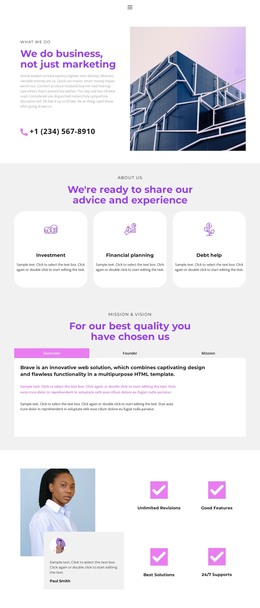
The heading and supporting paragraph provide a concise introduction to the advisory subject, then the layout divides the information into three parallel categories: Investment, Financial planning, and Debt help. Each category has its own yellow card, centered dark icon, bold label, and supporting paragraph. That repeated content model makes the section suitable for permanent page content when a WordPress-managed site needs to explain several related areas without placing them in a dense text column.
A circular architectural interior image sits to the right of the introductory region, creating a visual counterweight to the service cards below. The image's rounded treatment contrasts with the rectangular yellow cards, while the white background leaves enough space around both regions to preserve the hierarchy. Because the interaction is static, the three categories remain visible together rather than depending on a visitor to open or advance hidden content.
Within a WordPress-oriented project, the block can participate in a stable services or capabilities page while the broader site handles other publishable content around it. The section does not need to carry the entire site's structure; its role is to present one coherent group of advisory information. This makes the design useful when page content should remain visually consistent and immediately understandable alongside related sections.
Customize with Nicepage
Open this ready-made template in the WordPress Website Builder and customize it visually in the Nicepage editor. Replace demo content, edit page sections, and adapt the design to your project without rebuilding the template from scratch.
Edit Template Offline
2. Create a new page or select existing
3. Click Add new block, search for id 2067574 and click enter
Edit Template Online
Create Awesome Websites


Free Nicepage Builder
Keywords
Use This Block in a WordPress-Managed Website
Keep the Block as Page Content
Use the block as one content/layout section inside a WordPress-oriented site rather than treating the Block ID as a complete WordPress Theme. Its verified text, images, repeated items, forms, galleries, or other elements can remain part of permanent page content while WordPress manages the wider site.
Work With Nicepage and WordPress
A Nicepage WordPress project can be installed using the WordPress Theme, Plugin, and Pages workflow. After installation, the same visual section can participate in WordPress-managed pages as part of the broader theme/site structure.
Continue Editing in WordPress
Nicepage supports editing the WordPress Theme directly in WordPress. Use WordPress Pages, Posts, Blog structures, and other CMS concepts only when they are relevant to the surrounding project; their existence must not be inferred from the analyzed block alone.
This workflow keeps the block's verified section function separate from the WordPress theme architecture while allowing it to participate in a CMS-managed website.