Pregnancy milestones WordPress Theme


Parallel topic columns suit stable WordPress page content
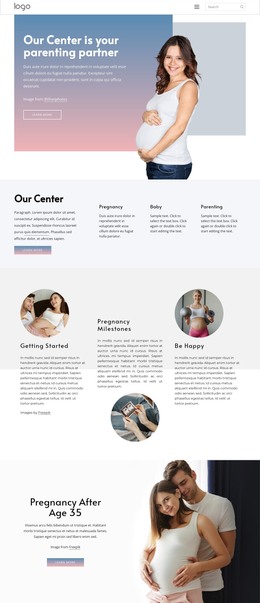
The three columns read as stable informational content rather than a time-sensitive list or a complex interactive feature. Getting Started, Pregnancy Milestones, and Be Happy divide the section into three related page topics, and each topic has its own compact paragraph and image. In a WordPress-managed project, that makes the block a natural visual area for a permanent page section while the surrounding site handles its broader publishing structure.
The content relationships are clear enough to preserve during page editing: each heading belongs to one paragraph and one image, and the three groups remain parallel across the row. Their presentation is not identical. The first column places a rectangular image above the heading, the second uses a circular image below its paragraph, and the third places a circular image above its heading. This gives the section visual variety while keeping its editorial purpose consistent. Bold dark headings and left-aligned copy support quick scanning, while the blush-pink upper field and white lower area provide a calm background transition.
The block can therefore participate in a WordPress-oriented page as one reusable content region, not as a standalone theme. It could sit within a broader health or wellness presentation, with other sections carrying additional information and site functions. Its static structure is straightforward to maintain because the main relationships are visible within the section itself: three topics, three paragraphs, three images, and a deliberate balance of rectangular and circular treatments.
Customize with Nicepage
Open this ready-made template in the WordPress Website Builder and customize it visually in the Nicepage editor. Replace demo content, edit page sections, and adapt the design to your project without rebuilding the template from scratch.
Edit Template Offline
2. Create a new page or select existing
3. Click Add new block, search for id 1586655 and click enter
Edit Template Online
Create Awesome Websites


Free Nicepage Builder
Keywords
Manage and Edit This Theme in WordPress
Customize and Install the WordPress Theme
Start with this ready-made theme instead of building the WordPress design from scratch. Customize its layout, content, typography, images, sections, and other design elements visually in Nicepage editor, then export and install the WordPress Theme, Plugin, and Pages on your WordPress site. The Nicepage WordPress Plugin lets you continue working with the site after installation.
Edit the Theme Directly in WordPress
After installation, you can edit the WordPress Theme directly in WordPress with the Nicepage WordPress Plugin. Use Site Style to customize site Colors, Fonts, Header, Footer, Blog, and Post Page Templates while working within your WordPress website.
Edit WordPress Pages Visually
Use the Nicepage WordPress Plugin to edit page content directly from the WordPress admin area. Open a WordPress Page with Nicepage and visually change its text, images, sections, and other page elements while continuing to manage the Page through WordPress.
WordPress Content and Theme Integration
Use the customized theme with WordPress Pages, Posts, Blog and Post Templates, menus, widgets, and other CMS-managed content. Shared theme elements such as Colors, Fonts, Header, Footer, Blog, and Post Page Templates can be managed as part of the overall site design, while WordPress provides the CMS environment for managing site content.
This workflow combines a ready-made WordPress Theme with visual customization, direct theme editing in WordPress, and continued content management through the Nicepage WordPress Plugin.