Hydrated while running WordPress Theme


A Focused Hydration Section for WordPress-Managed Page Content
The block reads as stable informational content: it introduces hydration advice for runners, identifies the topic with the “3 Tips” heading, and offers a single learn more action for additional detail. That makes it suitable for a WordPress-oriented page section where the surrounding project manages broader content, while this visual area preserves one consistent message. The subtitle “to stay hydrated while running” keeps the section specific without requiring the block to carry an entire page narrative.
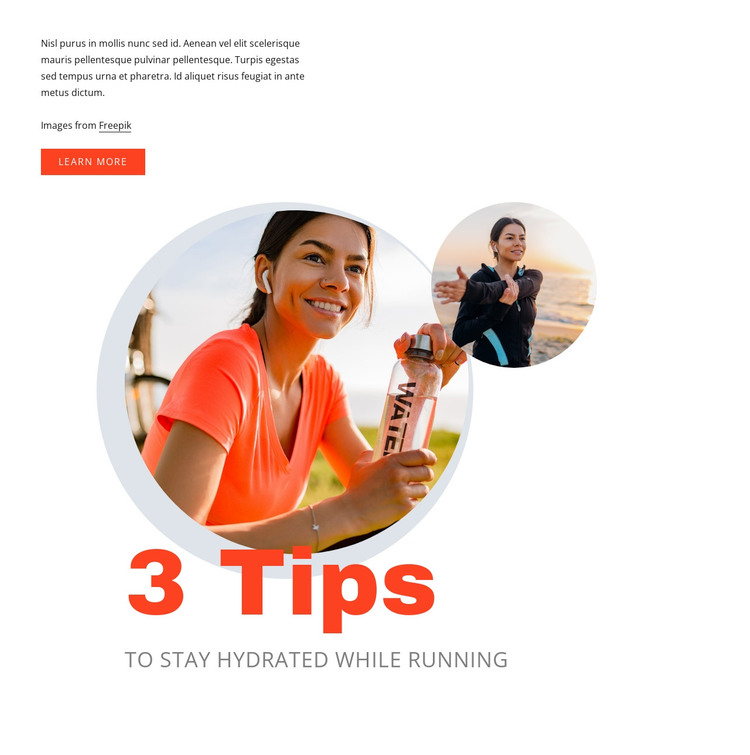
Its content is supported by a deliberate image relationship. Two circular running photographs overlap beneath the introductory copy, and a pale circular backing shape holds the layered composition together. The white background and generous open space give the text room to remain readable, while the orange-red typography and button accents create a clear visual route from the introduction to the main title and action. The oversized “3 Tips” treatment can distinguish this section from adjacent page content without relying on a separate page-level identity.
Within a WordPress-managed site, the section can serve as a reusable visual content area on a relevant page, while other areas handle navigation, longer articles, related advice, or contact information. Nicepage supports working with WordPress-managed page content through its plugin workflow, but the useful role here is the block’s own combination of topic, hierarchy, imagery, and action. The result is a focused section that can remain visually consistent as the broader site develops around it.
Customize with Nicepage
Open this ready-made template in the WordPress Website Builder and customize it visually in the Nicepage editor. Replace demo content, edit page sections, and adapt the design to your project without rebuilding the template from scratch.
Edit Template Offline
2. Create a new page or select existing
3. Click Add new block, search for id 150825 and click enter
Edit Template Online
Create Awesome Websites


Free Nicepage Builder
Keywords
Manage and Edit This Theme in WordPress
Customize and Install the WordPress Theme
Start with this ready-made theme instead of building the WordPress design from scratch. Customize its layout, content, typography, images, sections, and other design elements visually in Nicepage editor, then export and install the WordPress Theme, Plugin, and Pages on your WordPress site. The Nicepage WordPress Plugin lets you continue working with the site after installation.
Edit the Theme Directly in WordPress
After installation, you can edit the WordPress Theme directly in WordPress with the Nicepage WordPress Plugin. Use Site Style to customize site Colors, Fonts, Header, Footer, Blog, and Post Page Templates while working within your WordPress website.
Edit WordPress Pages Visually
Use the Nicepage WordPress Plugin to edit page content directly from the WordPress admin area. Open a WordPress Page with Nicepage and visually change its text, images, sections, and other page elements while continuing to manage the Page through WordPress.
WordPress Content and Theme Integration
Use the customized theme with WordPress Pages, Posts, Blog and Post Templates, menus, widgets, and other CMS-managed content. Shared theme elements such as Colors, Fonts, Header, Footer, Blog, and Post Page Templates can be managed as part of the overall site design, while WordPress provides the CMS environment for managing site content.
This workflow combines a ready-made WordPress Theme with visual customization, direct theme editing in WordPress, and continued content management through the Nicepage WordPress Plugin.